World's simplest browser-based Portable Network Graphics (PNG) grayscale mask generator. Just import your PNG image into the editor on the left, and you will instantly get a grayscale mask on the right. In the options, you can adjust the grayscale threshold, customize mask colors, and view pixel counts. Free, quick, and very powerful. Created with love by team Browserling.
World's simplest browser-based Portable Network Graphics (PNG) grayscale mask generator. Just import your PNG image into the editor on the left, and you will instantly get a grayscale mask on the right. In the options, you can adjust the grayscale threshold, customize mask colors, and view pixel counts. Free, quick, and very powerful. Created with love by team Browserling.
This browser-based program analyzes a PNG image and highlights which areas are grayscale and which are colored on a mask. By technical definition, a pixel is considered grayscale if its red, green, and blue (RGB) values are equal (e.g., rgb(128, 128, 128) is pure gray). However, real-world images often contain near-gray pixels with subtle tints. To account for this, you can adjust the "Gray Color Threshold" option: a higher value allows pixels with slight RGB differences to be classified as gray. For example, with a threshold of 5, a color of rgb(133, 128, 133) will be treated as grayscale, even though it has a slight magenta tint. By default, the output is a binary-style mask, with grayscale pixels shown in one color (default: black) and colored pixels in another (default: white). Alternatively, you can create a grayscale‑only mask, which marks only grayscale pixels with the chosen mask color while leaving colored pixels unchanged, or a color‑only mask, which marks only colored pixels while leaving grayscale pixels untouched. You can customize these mask colors in the options. If your PNG contains transparency, the "Preserve Transparency" option lets you keep transparent pixels unchanged in the mask. If disabled, fully transparent pixels (rgba(0, 0, 0, 0)) are treated as grayscale. Additionally, the tool displays the total number of pixels and shows how many of them are grayscale or colored, including their exact percentages. Png-abulous!
This browser-based program analyzes a PNG image and highlights which areas are grayscale and which are colored on a mask. By technical definition, a pixel is considered grayscale if its red, green, and blue (RGB) values are equal (e.g., rgb(128, 128, 128) is pure gray). However, real-world images often contain near-gray pixels with subtle tints. To account for this, you can adjust the "Gray Color Threshold" option: a higher value allows pixels with slight RGB differences to be classified as gray. For example, with a threshold of 5, a color of rgb(133, 128, 133) will be treated as grayscale, even though it has a slight magenta tint. By default, the output is a binary-style mask, with grayscale pixels shown in one color (default: black) and colored pixels in another (default: white). Alternatively, you can create a grayscale‑only mask, which marks only grayscale pixels with the chosen mask color while leaving colored pixels unchanged, or a color‑only mask, which marks only colored pixels while leaving grayscale pixels untouched. You can customize these mask colors in the options. If your PNG contains transparency, the "Preserve Transparency" option lets you keep transparent pixels unchanged in the mask. If disabled, fully transparent pixels (rgba(0, 0, 0, 0)) are treated as grayscale. Additionally, the tool displays the total number of pixels and shows how many of them are grayscale or colored, including their exact percentages. Png-abulous!
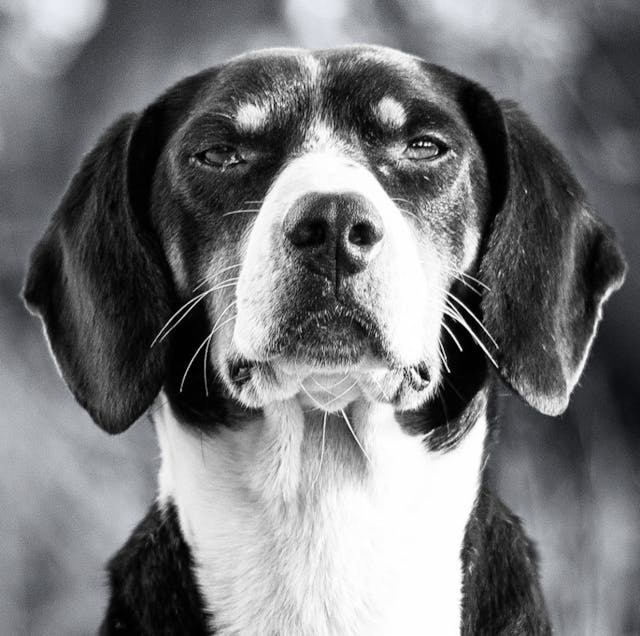
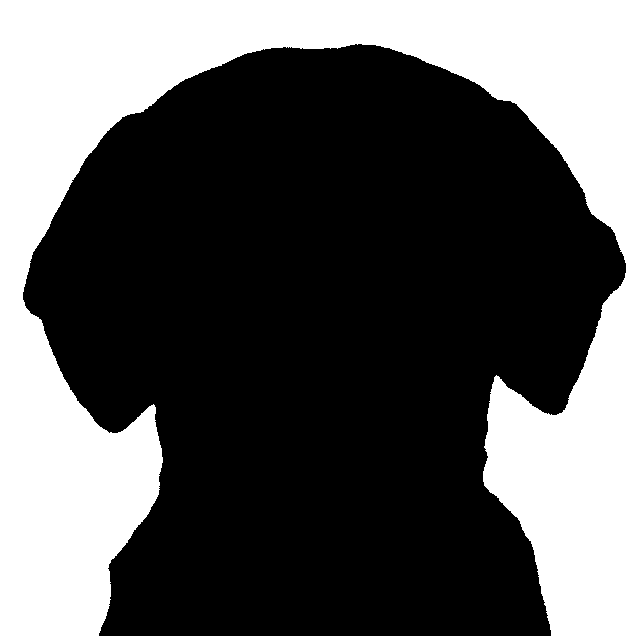
In this example, we analyze a dog portrait to separate pure grayscale elements from saturated colors. By generating a high-contrast mask with a strict threshold of 0, we reveal that only the dog's fur consists of true grayscale pixels (R = G = B). The background, though muted in tone, contains subtle color information that exceeds the zero-threshold limit. By mapping grayscale pixels to black and colored pixels to white, we get a perfect black silhouette of the dog on a white background. (Source: Pexels.)
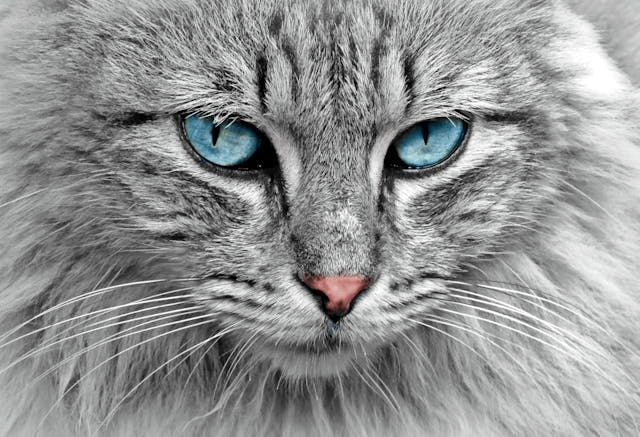
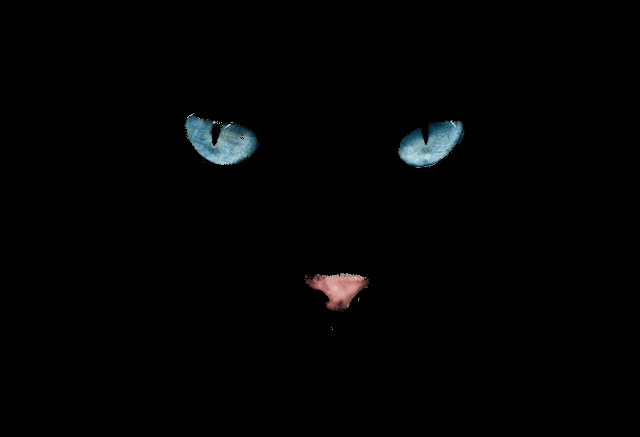
In this example, we identify grayscale pixels in a cat PNG and generate a mask that marks only those areas. By setting the threshold to 20, pixels whose R, G, and B values differ by no more than 20 are treated as grayscale. These pixels are replaced with solid black, while all colored pixels remain unchanged. The result is an image where only the cat's blue eyes and pink nose stand out against a completely black background. (Source: Pexels.)
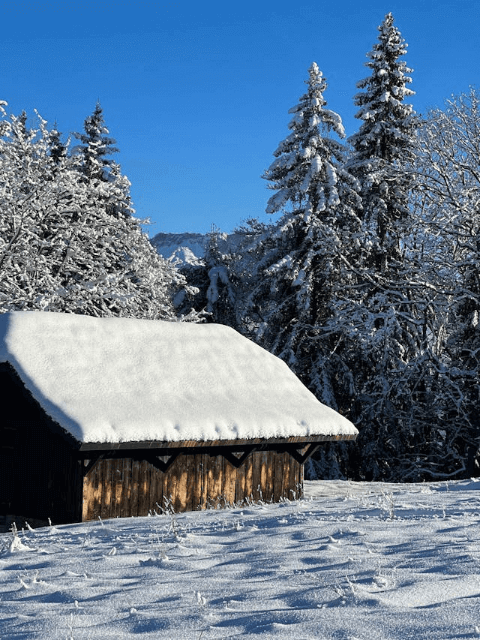
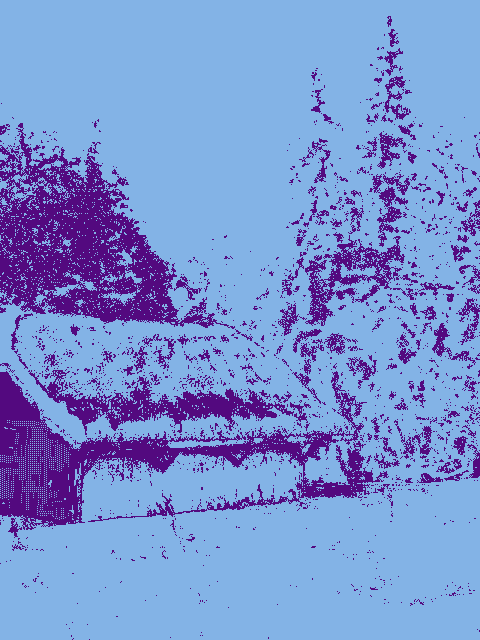
In this example, we detect near-gray pixels in a colorful PNG of a snowy forest cabin. Since nature rarely contains perfectly gray pixels, we increase the threshold to 5, allowing pixels with minor RGB variances to be included. To make the analysis visually striking, we apply custom mask colors: deep purple for grayscale regions and light blue for everything else. This reveals the structural silhouettes of the cabin and trees. (Source: Pexels.)
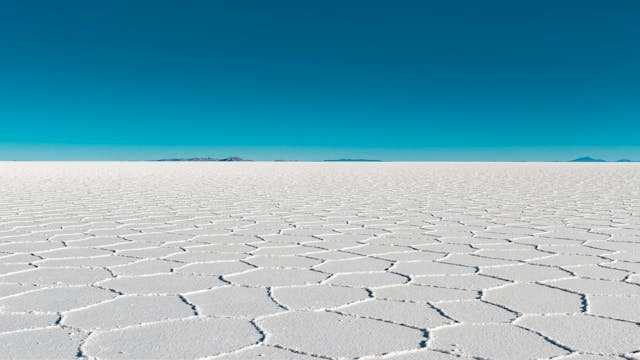
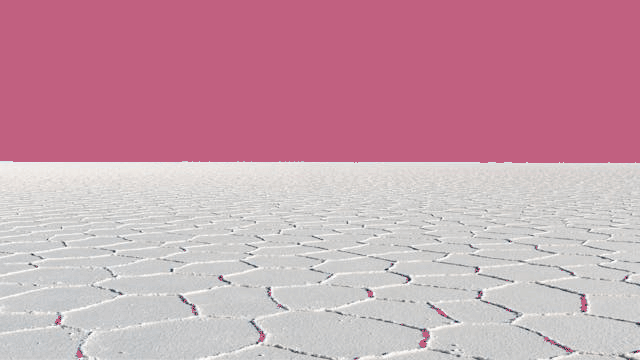
In this example, we generate a mask that replaces only colored pixels while leaving grayscale pixels unchanged. We increase the grayscale threshold to 25, allowing most white and gray tones of the salt flat in Salar de Uyuni to be classified as grayscale. All colored pixels are replaced with a solid palevioletred color. As a result, the PNG transforms into an otherworldly landscape where the sky appears in palevioletred tones. (Source: Pexels.)
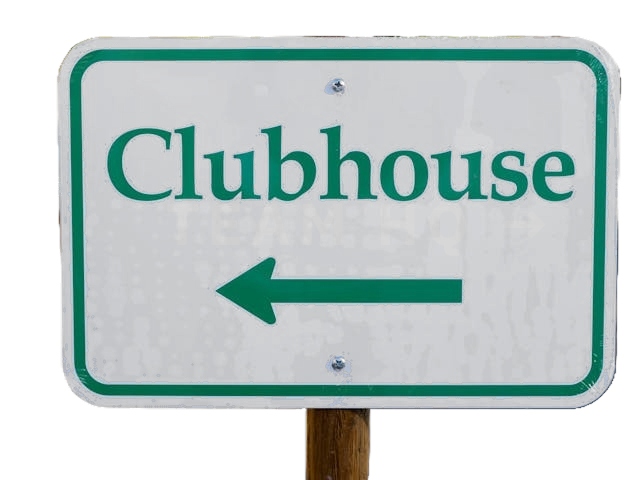
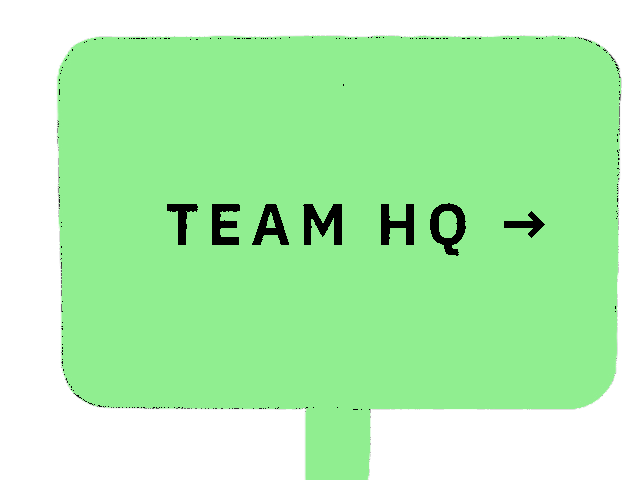
In this example, we use a grayscale mask to decode a hidden visual message embedded in a PNG image of a directional sign. Following the clue "mode: grayscale, threshold: 0", we configure the tool to detect only strictly grayscale pixels by setting the threshold to 0. We generate the mask using black to mark grayscale pixels and light green to highlight colored ones, while preserving the original transparency of the PNG. As a result, the output mask reveals an alternative direction indicated by the sign, pointing toward the team's headquarters. (Source: Pexels.)
Edit a PNG in your browser.
Compare two or more PNG images.
Convert a PNG image to an AV1 image (AVIF).
Convert an AV1 image (AVIF) to a PNG image.
Convert a PNG image to a High Efficiency Image File (HEIF).
Convert a Hide Efficiency Image File (HEIF) to a PNG image.
Convert a PNG image to an ICO icon.
Convert a PNG image to a TIFF image.
Convert a TIFF image to a PNG image.
Convert a PNG image to a PIK image.
Convert a PIK image to a PNG image.
Convert a PNG image to a PPM image.
Convert a PPM image to a PNG image.
Convert a PNG image to a BPG image.
Convert a BPG image to a PNG image.
Convert a PNG image to a FLIF image.
Convert a FLIF image to a PNG image.
Convert a PNG image to a Paint.net file.
Convert a Paint.net file to a PNG image.
Convert a PNG image to a Photoshop file.
Convert a Photoshop file to a PNG image.
Convert a PNG image to an SVG image.
Convert a PNG image to an PDF document.
Convert a PDF document to a PNG image (or multiple images).
Convert a PNG image to an EPS file.
Convert an EPS file to a PNG image (or multiple images).
Convert a PNG image to a JFIF image.
Convert a JFIF image to a PNG image.
Convert a PNG image to raw RGB values.
Convert RGB values to a PNG image.
Convert a PNG image to raw BGR values.
Convert BGR values to a PNG image.
Convert a PNG image to raw RGBA values.
Convert RGBA values to a PNG image.
Convert a PNG image to raw BGRA values.
Convert BGRA values to a PNG image.
Convert multiple PNGs to a GIF animation.
Convert an APNG animation to a GIF image.
Convert a GIF animation to an APNG image.
Convert an APNG image to a Webp image.
Convert a Webp image to an APNG image.
Convert an APNG image to an MP4 video.
Convert an MP4 video to an APNG image.
Convert an APNG image to an AVI video.
Convert an AVI video to an APNG image.
Convert an APNG image to a WMV video.
Convert an WMV video to an APNG image.
Extract all frames from an APNG image.
Play a PNG animation (APNG) frame by frame.
Change the playback speed of an animated PNG (APNG).
Change how many times an animated PNG loops.
Reverse the order of frames in an animated PNG (APNG).
Created animated PNGs (APNGs) from input images.
Check if the given PNG file is an animated PNG file (APNG).
Create a sprite sheet from all animated PNG (APNG) frames.
Create an animated PNG (APNG) from a sprite sheet.
Create Excel art from a PNG image.
Break a PNG image into multiple pieces.
Generate a slideshow animation from multiple PNGs.
Generate a mosaic wall from multiple PNGs.
Convert a PNG into a hexagonal grid of pixels.
Convert a PNG into a triangular grid of pixels.
Create a Voronoi diagram from a PNG image.
Darken PNG corners compared to its center.
Create multiple reflections of a PNG.
Apply a Bayer filter on a PNG.
Make a PNG look like it was taken via night vision goggles.
Make a PNG look like it's spherical.
Run a PNG through the Mobius Transform.
Convert between RGB, CMYK, HSV, and HSL color spaces.
Remove dithering from a PNG image.
Convert a PNG to an ASCII art image.
Convert a PNG to an ANSI art image.
Convert ANSI art to a PNG image.
Convert a PNG to a Braille art image.
Convert Braille art to a PNG image.
Increase the quality of a PNG image.
Extract a 2d slice from a PNG.
Create a PNG that contains all possible RGB colors.
Find all textual information in a PNG image and extract it.
Given any 2D PNG, add 3rd dimension to it.
Quickly erase text (labels, captions) from a PNG.
Quickly delete a watermark from a PNG.
Salvage a PNG that has bad bytes in it and doesn't open.
Conceal a secret message in a PNG image.
Update meta data of a PNG file.
Delete meta data from a PNG picture.
Check if the given file is a valid PNG without errors.
Subscribe to our updates. We'll let you know when we release new tools and features, and when we organize online workshops.
Enter your email here
We're Browserling — a friendly and fun cross-browser testing company powered by alien technology. At Browserling we love to make people's lives easier, so we created this collection of online PNG tools. We created the simplest possible user interface for our tools and they are now used by millions of users every month. Behind the scenes, our online PNG tools are actually powered by our web developer tools that we created over the last couple of years. Check them out!