World's simplest online bytes-to-PNG converter. Just import your pixel bytes into the input area, and you'll instantly get a PNG image. In the tool options, you can choose between decimal and hexadecimal byte notation, specify the order of the RGB color channels, and include an alpha byte for transparency. You can also set the number of pixels in each row, select a fill color for incomplete pixels, and enlarge the decoded pixels. Free, quick, and very powerful. Created with love by team Browserling.
World's simplest online bytes-to-PNG converter. Just import your pixel bytes into the input area, and you'll instantly get a PNG image. In the tool options, you can choose between decimal and hexadecimal byte notation, specify the order of the RGB color channels, and include an alpha byte for transparency. You can also set the number of pixels in each row, select a fill color for incomplete pixels, and enlarge the decoded pixels. Free, quick, and very powerful. Created with love by team Browserling.
The free plan lets you use PNG tools for personal use only. Upgrade to the premium plan to use PNG tools for commercial purposes. Additionally, these features will be unlocked when you upgrade:
You've reached the daily free plan limit. The free plan lets you try our service a couple of times a day. Upgrade to the premium plan to remove all limits and unlock these additional features:
Commercial Use
Use our PNG tools for commercial use.
No Wait Time
Skip the download wait timer and download the PNG instantly.
Unlimited Usage
Use all PNG tools as many times per day as you want to.
Instant Download
Skip this dialog and download the PNG with a single click.
No Ads
You'll not see a single advertisement.
Instant Copy-to-clipboard
Copy the PNG to clipboard with a single click.
You're using the free plan
The free plan lets you use PNG tools for personal use only. Upgrade to the premium plan to use PNG tools for commercial purposes. Additionally, these features will be unlocked when you upgrade:
You've reached the daily free plan limit. The free plan lets you try our service a couple of times a day. Upgrade to the premium plan to remove all limits and unlock these additional features:
Commercial Use
Use our PNG tools for commercial use.
No Wait Time
Skip the download wait timer and download the PNG instantly.
Unlimited Usage
Use all PNG tools as many times per day as you want to.
Instant Download
Skip this dialog and download the PNG with a single click.
No Ads
You'll not see a single advertisement.
Instant Copy-to-clipboard
Copy the PNG to clipboard with a single click.
Text has been copied to clipboard
Yay! The text has been copied to your clipboard. If you like our tools, you can upgrade to a premium subscription to get rid of this dialog as well as enable the following features:
You've reached the daily free plan limit. The free plan lets you try our service a couple of times a day. Upgrade to the premium plan to remove all limits and unlock these additional features:
Commercial Use
Use our PNG tools for commercial use.
No Wait Time
Skip the download wait timer and download the PNG instantly.
Unlimited Usage
Use all PNG tools as many times per day as you want to.
Instant Download
Skip this dialog and download the PNG with a single click.
No Ads
You'll not see a single advertisement.
Instant Copy-to-clipboard
Copy the PNG to clipboard with a single click.
What Is a Bytes to PNG Converter?
This tool converts arrays of decimal or hexadecimal pixel bytes into PNG images. A color pixel is normally described by three bytes, with each value representing one of its red, green, and blue channels. For example, the pink color RGB(255, 192, 203) can be written as the decimal byte sequence "255, 192, 203" or the hexadecimal sequence "ff, c0, cb". A complete PNG image can be represented as a sequence of these three-byte pixel groups, which the tool reads and converts back into visible pixels. By default, the tool automatically detects whether the input uses decimal or hexadecimal notation. Decimal bytes contain values from 0 to 255, while hexadecimal bytes range from 00 to ff and may include the 0x prefix, as in "0xff, 0xc0, 0xcb". Some digit-only values, however, are valid in both number systems. In this situation, you can manually select the decimal or hexadecimal decoding in the options. If the original PNG contained transparency, its pixels may be represented by groups of four bytes instead of three. The fourth byte stores the alpha channel, where 0 means fully transparent and 255 (ff) means fully opaque. For example, an opaque orange pixel can be written as "255, 128, 0, 255" in base-10 or "ff, 80, 00, ff" in base-16. Enable the "Use Alpha Bytes" option to process byte arrays containing this additional transparency channel correctly. You can also specify the order in which the color bytes appear. The most common arrangement is RGB, but input data may instead use RBG, GRB, GBR, BRG, or BGR channel order. You can enter the bytes as a simple list, group them by pixel, or organize them into separate image rows using nested arrays or line breaks. When the input contains a row structure, the tool automatically determines the PNG width. If the input has no row structure, specify the number of pixels in each row in the options. If an image row does not contain enough bytes, incomplete pixels are filled with the custom color selected in the options. You can also increase the pixel size to turn small byte arrays into full-size pixel art PNGs. To perform the reverse conversion and turn a PNG image into an array of bytes, use the Convert PNG to Bytes tool. Png-abulous!
What Is a Bytes to PNG Converter?
This tool converts arrays of decimal or hexadecimal pixel bytes into PNG images. A color pixel is normally described by three bytes, with each value representing one of its red, green, and blue channels. For example, the pink color RGB(255, 192, 203) can be written as the decimal byte sequence "255, 192, 203" or the hexadecimal sequence "ff, c0, cb". A complete PNG image can be represented as a sequence of these three-byte pixel groups, which the tool reads and converts back into visible pixels. By default, the tool automatically detects whether the input uses decimal or hexadecimal notation. Decimal bytes contain values from 0 to 255, while hexadecimal bytes range from 00 to ff and may include the 0x prefix, as in "0xff, 0xc0, 0xcb". Some digit-only values, however, are valid in both number systems. In this situation, you can manually select the decimal or hexadecimal decoding in the options. If the original PNG contained transparency, its pixels may be represented by groups of four bytes instead of three. The fourth byte stores the alpha channel, where 0 means fully transparent and 255 (ff) means fully opaque. For example, an opaque orange pixel can be written as "255, 128, 0, 255" in base-10 or "ff, 80, 00, ff" in base-16. Enable the "Use Alpha Bytes" option to process byte arrays containing this additional transparency channel correctly. You can also specify the order in which the color bytes appear. The most common arrangement is RGB, but input data may instead use RBG, GRB, GBR, BRG, or BGR channel order. You can enter the bytes as a simple list, group them by pixel, or organize them into separate image rows using nested arrays or line breaks. When the input contains a row structure, the tool automatically determines the PNG width. If the input has no row structure, specify the number of pixels in each row in the options. If an image row does not contain enough bytes, incomplete pixels are filled with the custom color selected in the options. You can also increase the pixel size to turn small byte arrays into full-size pixel art PNGs. To perform the reverse conversion and turn a PNG image into an array of bytes, use the Convert PNG to Bytes tool. Png-abulous!
Bytes to PNG Converter Examples
Click to try!
click me
Build a PNG from Decimal Bytes
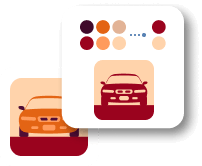
In this example, we reconstruct a small red car PNG from a sequence of decimal RGBA pixel bytes. We set the PNG width to 60 pixels and enable alpha-byte decoding to preserve the transparent space around the car. We double the size of every decoded pixel, producing a crisp 120×82 PNG. (Source: Vecteezy.com.)
These options will be used automatically if you select this example.
This example will reset all options to their default values before applying new ones.
Automatically recognize
base-10 or base-16 notation.
Decode a fourth byte from each
pixel as its transparency value.
Select the order of Red (R)
Green (G) and Blue (B) bytes.
Set the number of pixels in
each row when the input has
no row structure.
Enlarge every decoded pixel into
a square of this side length.
Use this color for areas left
by missing pixel or row data.
click me
Decode a BGR Hex Byte Array
In this example, we convert hexadecimal pixel bytes into a 50×50 gift-box PNG. The byte triplets follow GRB channel order, so we select this arrangement to display the desired PNG colors. Every image row appears on a separate line in the input, allowing the tool to determine the width automatically, while a pixel size of 1 keeps the icon at its original resolution. (Source: Vecteezy.com.)
These options will be used automatically if you select this example.
This example will reset all options to their default values before applying new ones.
Automatically recognize
base-10 or base-16 notation.
Decode a fourth byte from each
pixel as its transparency value.
Select the order of Red (R)
Green (G) and Blue (B) bytes.
Set the number of pixels in
each row when the input has
no row structure.
Enlarge every decoded pixel into
a square of this side length.
Use this color for areas left
by missing pixel or row data.
click me
Create Pineapple Pixel Art from RGB Bytes
In this example, we create pineapple pixel art by arranging decimal RGB byte triplets in their intended positions. Alpha processing is disabled, and every pixel uses the standard red, green, and blue channel order. The input has an unusual but readable format: hyphens separate the three channel bytes of each pixel, and every image row is enclosed in square brackets. You can edit any row by hand, move byte triplets, or replace their values to change individual parts of the leaves, outline, and fruit pattern. To make this compact 21×38 art easier to view, we use a pixel enlargement of 5, turning each source pixel into a visible 5×5 block and producing a 105×190 PNG.
Quickly scan a QR code image and read its decoded data.
Empty search results
You were searching for but nothing was found... Tell us more, and we'll build a tool you were looking for!
Coming Soon
These PNG tools are on the way!
PNG Editor
Edit a PNG in your browser.
Compare PNG Images
Compare two or more PNG images.
Convert PNG to AVIF
Convert a PNG image to an AV1 image (AVIF).
Convert AVIF to PNG
Convert an AV1 image (AVIF) to a PNG image.
Convert PNG to HEIF
Convert a PNG image to a High Efficiency Image File (HEIF).
Convert HEIF to PNG
Convert a Hide Efficiency Image File (HEIF) to a PNG image.
Convert PNG to ICO
Convert a PNG image to an ICO icon.
Convert PNG to TIFF
Convert a PNG image to a TIFF image.
Convert TIFF to PNG
Convert a TIFF image to a PNG image.
Convert PNG to PIK
Convert a PNG image to a PIK image.
Convert PIK to PNG
Convert a PIK image to a PNG image.
Convert PNG to PPM
Convert a PNG image to a PPM image.
Convert PPM to PNG
Convert a PPM image to a PNG image.
Convert PNG to BPG
Convert a PNG image to a BPG image.
Convert BPG to PNG
Convert a BPG image to a PNG image.
Convert PNG to FLIF
Convert a PNG image to a FLIF image.
Convert FLIF to PNG
Convert a FLIF image to a PNG image.
Convert PNG to PDN
Convert a PNG image to a Paint.net file.
Convert PDN to PNG
Convert a Paint.net file to a PNG image.
Convert PNG to PSD
Convert a PNG image to a Photoshop file.
Convert PSD to PNG
Convert a Photoshop file to a PNG image.
Convert PNG to SVG
Convert a PNG image to an SVG image.
Convert PNG to PDF
Convert a PNG image to an PDF document.
Convert PDF to PNG
Convert a PDF document to a PNG image (or multiple images).
Convert PNG to EPS
Convert a PNG image to an EPS file.
Convert EPS to PNG
Convert an EPS file to a PNG image (or multiple images).
Convert PNG to JFIF
Convert a PNG image to a JFIF image.
Convert JFIF to PNG
Convert a JFIF image to a PNG image.
Convert PNG to RGB
Convert a PNG image to raw RGB values.
Convert RGB to PNG
Convert RGB values to a PNG image.
Convert PNG to BGR
Convert a PNG image to raw BGR values.
Convert BGR to PNG
Convert BGR values to a PNG image.
Convert PNG to RGBA
Convert a PNG image to raw RGBA values.
Convert RGBA to PNG
Convert RGBA values to a PNG image.
Convert PNG to BGRA
Convert a PNG image to raw BGRA values.
Convert BGRA to PNG
Convert BGRA values to a PNG image.
Convert PNG to Animated GIF
Convert multiple PNGs to a GIF animation.
Convert APNG to GIF
Convert an APNG animation to a GIF image.
Convert GIF to APNG
Convert a GIF animation to an APNG image.
Convert APNG to Webp
Convert an APNG image to a Webp image.
Convert Webp to APNG
Convert a Webp image to an APNG image.
Convert APNG to MP4
Convert an APNG image to an MP4 video.
Convert MP4 to APNG
Convert an MP4 video to an APNG image.
Convert APNG to AVI
Convert an APNG image to an AVI video.
Convert AVI to APNG
Convert an AVI video to an APNG image.
Convert APNG to WMV
Convert an APNG image to a WMV video.
Convert WMV to APNG
Convert an WMV video to an APNG image.
Extract APNG Frames
Extract all frames from an APNG image.
APNG Player
Play a PNG animation (APNG) frame by frame.
Change APNG Speed
Change the playback speed of an animated PNG (APNG).
Set APNG Loop Count
Change how many times an animated PNG loops.
Reverse an APNG
Reverse the order of frames in an animated PNG (APNG).
APNG Creator
Created animated PNGs (APNGs) from input images.
APNG Checker
Check if the given PNG file is an animated PNG file (APNG).
Convert APNG to Sprite Sheet
Create a sprite sheet from all animated PNG (APNG) frames.
Convert Sprite Sheet to APNG
Create an animated PNG (APNG) from a sprite sheet.
Convert PNG to XLS
Create Excel art from a PNG image.
Split a PNG
Break a PNG image into multiple pieces.
Create a PNG Slideshow
Generate a slideshow animation from multiple PNGs.
Create a PNG Mosaic
Generate a mosaic wall from multiple PNGs.
Hexagonalize a PNG
Convert a PNG into a hexagonal grid of pixels.
Triangulate a PNG
Convert a PNG into a triangular grid of pixels.
Convert PNG to Voronoi Diagram
Create a Voronoi diagram from a PNG image.
Add Vignette Effect to a PNG
Darken PNG corners compared to its center.
Add Kaleidoscope Effect to a PNG
Create multiple reflections of a PNG.
Add Bayer Filter to a PNG
Apply a Bayer filter on a PNG.
Add Night Vision Effect to a PNG
Make a PNG look like it was taken via night vision goggles.
Add Spherical Effect to a PNG
Make a PNG look like it's spherical.
Apply Mobius Transform on a PNG
Run a PNG through the Mobius Transform.
Convert PNG Color Space
Convert between RGB, CMYK, HSV, and HSL color spaces.
Remove Dithering from a PNG
Remove dithering from a PNG image.
Create ASCII Art from PNG
Convert a PNG to an ASCII art image.
Create ANSI Art from PNG
Convert a PNG to an ANSI art image.
Create PNG from ANSI Art
Convert ANSI art to a PNG image.
Create Braille Art from PNG
Convert a PNG to a Braille art image.
Create PNG from Braille Art
Convert Braille art to a PNG image.
Enhance a PNG
Increase the quality of a PNG image.
Slice a PNG
Extract a 2d slice from a PNG.
Generate All-color PNG
Create a PNG that contains all possible RGB colors.
Extract Text from a PNG
Find all textual information in a PNG image and extract it.
Create a 3D PNG
Given any 2D PNG, add 3rd dimension to it.
Remove Text from a PNG
Quickly erase text (labels, captions) from a PNG.
Remove a Watermark from a PNG
Quickly delete a watermark from a PNG.
Fix a Broken PNG
Salvage a PNG that has bad bytes in it and doesn't open.
Hide Data in a PNG
Conceal a secret message in a PNG image.
Change PNG Metadata
Update meta data of a PNG file.
Erase PNG Metadata
Delete meta data from a PNG picture.
Validate PNG
Check if the given file is a valid PNG without errors.
We're working on this tool!
You clicked on a coming soon tool. This tool is in the works and we'll be releasing it soon. You can subscribe to updates and we'll let you know when we add it!
Subscribe!
Subscribe to our updates. We'll let you know when we release new tools and features, and when we organize online workshops.
Enter your email here
Feedback. We'd love to hear from you! 👋
Created with love by
We're Browserling — a friendly and fun cross-browser testing company powered by alien technology. At Browserling we love to make people's lives easier, so we created this collection of online PNG tools. We created the simplest possible user interface for our tools and they are now used by millions of users every month. Behind the scenes, our online PNG tools are actually powered by our web developer tools that we created over the last couple of years. Check them out!
49K
@browserling
Warning
Successfully
Error
Didn't find the tool you were looking for? Let us know what tool we are missing and we'll build it!
Link to this tool
This is a link to this tool, including input, options and all chained tools.