World's simplest online PNG-to-byte converter. Just import your PNG into the input area, and you'll instantly get an array of decimal or hexadecimal byte values. In the tool options, you can include transparency bytes, switch between decimal and hexadecimal notation, reorder the color channels, and customize the output with brackets and separators. Free, quick, and very powerful. Created with love by team Browserling.
World's simplest online PNG-to-byte converter. Just import your PNG into the input area, and you'll instantly get an array of decimal or hexadecimal byte values. In the tool options, you can include transparency bytes, switch between decimal and hexadecimal notation, reorder the color channels, and customize the output with brackets and separators. Free, quick, and very powerful. Created with love by team Browserling.

This tool converts the pixels of a PNG image into a sequence of numeric bytes. Each pixel normally produces three bytes: red, green, and blue. For example, an orange pixel with the RGB color (255, 128, 0) becomes "255, 128, 0" in decimal mode or "ff, 80, 00" in hexadecimal mode. If the PNG contains transparency, you can include an alpha byte as the fourth value. When the alpha option is enabled, this value is added after the color bytes. For example, a half-transparent orange pixel becomes "255, 128, 0, 128" or "ff, 80, 00, 80". You can select the order in which the red, green, and blue bytes appear. For example, the same orange pixel becomes "0, 128, 255" when BGR order is selected. The output can be created as a plain list, a single array, separate pixel arrays, row arrays, or a fully nested structure. You can choose square, round, curly, or angle brackets for the arrays. Hexadecimal bytes can include a 0x prefix and use uppercase letters. You can also set separate delimiters for channel bytes and complete pixels. If you enable row breaks, the tool places the bytes from each horizontal PNG row on a separate text line. This preserves the original image width in the byte layout and makes it easier to identify where one pixel row ends and the next one begins. To turn the resulting bytes back into a PNG, use the Convert Bytes to PNG tool. Png-abulous!
This tool converts the pixels of a PNG image into a sequence of numeric bytes. Each pixel normally produces three bytes: red, green, and blue. For example, an orange pixel with the RGB color (255, 128, 0) becomes "255, 128, 0" in decimal mode or "ff, 80, 00" in hexadecimal mode. If the PNG contains transparency, you can include an alpha byte as the fourth value. When the alpha option is enabled, this value is added after the color bytes. For example, a half-transparent orange pixel becomes "255, 128, 0, 128" or "ff, 80, 00, 80". You can select the order in which the red, green, and blue bytes appear. For example, the same orange pixel becomes "0, 128, 255" when BGR order is selected. The output can be created as a plain list, a single array, separate pixel arrays, row arrays, or a fully nested structure. You can choose square, round, curly, or angle brackets for the arrays. Hexadecimal bytes can include a 0x prefix and use uppercase letters. You can also set separate delimiters for channel bytes and complete pixels. If you enable row breaks, the tool places the bytes from each horizontal PNG row on a separate text line. This preserves the original image width in the byte layout and makes it easier to identify where one pixel row ends and the next one begins. To turn the resulting bytes back into a PNG, use the Convert Bytes to PNG tool. Png-abulous!
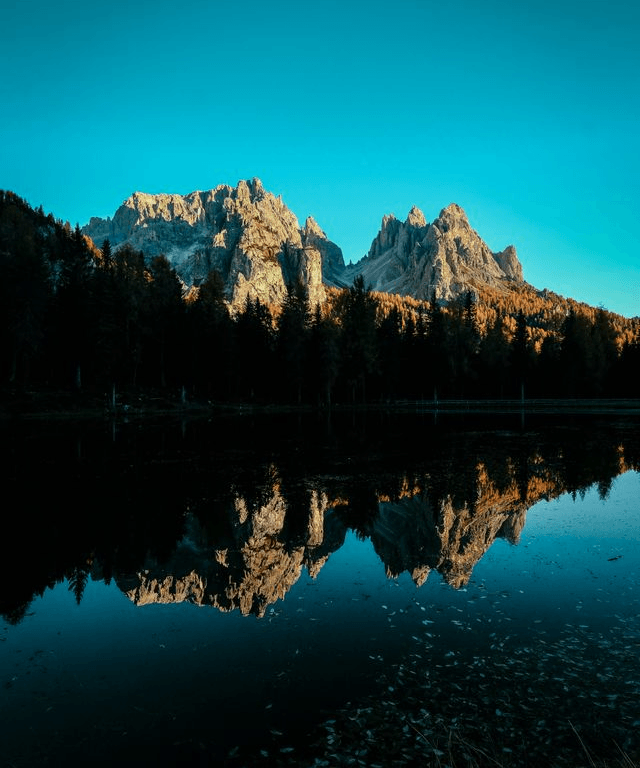
In this example, we convert a 640×768 PNG photo of sunlit mountains reflected in a lake into decimal pixel bytes. We keep the red, green, and blue channels in their natural RGB order and omit the alpha channel. All values are placed in one square-bracketed array, with commas separating both the channel bytes and neighboring pixels. (Source: Pexels.)
In this example, we encode a PNG of a ginger cat resting on a blue armchair as uppercase hexadecimal bytes. Each pixel contains three bytes in green-blue-red (GBR) order, and every value has a 0x prefix. Square brackets enclose each pixel, each PNG row, and the complete byte array. Commas separate channel bytes, while semicolons separate neighboring pixels. (Source: Pexels.)

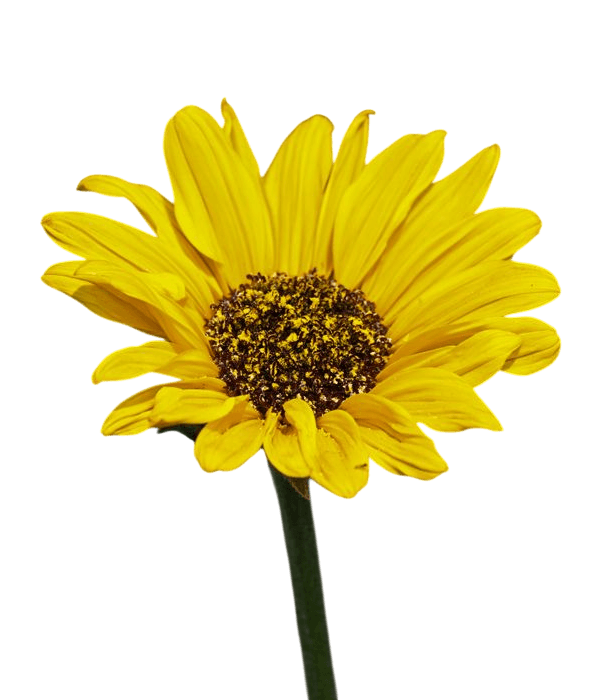
In this example, we convert a 600×700 PNG of a yellow daisy on a transparent background into decimal RGBA bytes. To preserve the transparency data in the byte representation, we append an alpha component after the red, green, and blue values to record the opacity of each pixel. Curly brackets enclose every four-byte pixel so that its RGBA structure is easy to see, and a new text line begins after each 600-pixel image row to retain the original PNG width. (Source: Pexels.)
Edit a PNG in your browser.
Compare two or more PNG images.
Convert a PNG image to an AV1 image (AVIF).
Convert an AV1 image (AVIF) to a PNG image.
Convert a PNG image to a High Efficiency Image File (HEIF).
Convert a Hide Efficiency Image File (HEIF) to a PNG image.
Convert a PNG image to an ICO icon.
Convert a PNG image to a TIFF image.
Convert a TIFF image to a PNG image.
Convert a PNG image to a PIK image.
Convert a PIK image to a PNG image.
Convert a PNG image to a PPM image.
Convert a PPM image to a PNG image.
Convert a PNG image to a BPG image.
Convert a BPG image to a PNG image.
Convert a PNG image to a FLIF image.
Convert a FLIF image to a PNG image.
Convert a PNG image to a Paint.net file.
Convert a Paint.net file to a PNG image.
Convert a PNG image to a Photoshop file.
Convert a Photoshop file to a PNG image.
Convert a PNG image to an SVG image.
Convert a PNG image to an PDF document.
Convert a PDF document to a PNG image (or multiple images).
Convert a PNG image to an EPS file.
Convert an EPS file to a PNG image (or multiple images).
Convert a PNG image to a JFIF image.
Convert a JFIF image to a PNG image.
Convert a PNG image to raw RGB values.
Convert RGB values to a PNG image.
Convert a PNG image to raw BGR values.
Convert BGR values to a PNG image.
Convert a PNG image to raw RGBA values.
Convert RGBA values to a PNG image.
Convert a PNG image to raw BGRA values.
Convert BGRA values to a PNG image.
Convert multiple PNGs to a GIF animation.
Convert an APNG animation to a GIF image.
Convert a GIF animation to an APNG image.
Convert an APNG image to a Webp image.
Convert a Webp image to an APNG image.
Convert an APNG image to an MP4 video.
Convert an MP4 video to an APNG image.
Convert an APNG image to an AVI video.
Convert an AVI video to an APNG image.
Convert an APNG image to a WMV video.
Convert an WMV video to an APNG image.
Extract all frames from an APNG image.
Play a PNG animation (APNG) frame by frame.
Change the playback speed of an animated PNG (APNG).
Change how many times an animated PNG loops.
Reverse the order of frames in an animated PNG (APNG).
Created animated PNGs (APNGs) from input images.
Check if the given PNG file is an animated PNG file (APNG).
Create a sprite sheet from all animated PNG (APNG) frames.
Create an animated PNG (APNG) from a sprite sheet.
Create Excel art from a PNG image.
Break a PNG image into multiple pieces.
Generate a slideshow animation from multiple PNGs.
Generate a mosaic wall from multiple PNGs.
Convert a PNG into a hexagonal grid of pixels.
Convert a PNG into a triangular grid of pixels.
Create a Voronoi diagram from a PNG image.
Darken PNG corners compared to its center.
Create multiple reflections of a PNG.
Apply a Bayer filter on a PNG.
Make a PNG look like it was taken via night vision goggles.
Make a PNG look like it's spherical.
Run a PNG through the Mobius Transform.
Convert between RGB, CMYK, HSV, and HSL color spaces.
Remove dithering from a PNG image.
Convert a PNG to an ASCII art image.
Convert a PNG to an ANSI art image.
Convert ANSI art to a PNG image.
Convert a PNG to a Braille art image.
Convert Braille art to a PNG image.
Increase the quality of a PNG image.
Extract a 2d slice from a PNG.
Create a PNG that contains all possible RGB colors.
Find all textual information in a PNG image and extract it.
Given any 2D PNG, add 3rd dimension to it.
Quickly erase text (labels, captions) from a PNG.
Quickly delete a watermark from a PNG.
Salvage a PNG that has bad bytes in it and doesn't open.
Conceal a secret message in a PNG image.
Update meta data of a PNG file.
Delete meta data from a PNG picture.
Check if the given file is a valid PNG without errors.
Subscribe to our updates. We'll let you know when we release new tools and features, and when we organize online workshops.
Enter your email here
We're Browserling — a friendly and fun cross-browser testing company powered by alien technology. At Browserling we love to make people's lives easier, so we created this collection of online PNG tools. We created the simplest possible user interface for our tools and they are now used by millions of users every month. Behind the scenes, our online PNG tools are actually powered by our web developer tools that we created over the last couple of years. Check them out!