World's simplest online Portable Network Graphics (PNG) glitch generator. Just import your PNG image in the editor on the left, and you'll instantly get a corrupted PNG with simulated data errors on the right. In the options, you can emulate JPEG or WebP compression artifacts, apply pixel block glitches, blur, noise, and brightness distortions. You can also adjust red, green, and blue channels, add chromatic aberration, and apply signal disruptions. Created with love by team Browserling.
World's simplest online Portable Network Graphics (PNG) glitch generator. Just import your PNG image in the editor on the left, and you'll instantly get a corrupted PNG with simulated data errors on the right. In the options, you can emulate JPEG or WebP compression artifacts, apply pixel block glitches, blur, noise, and brightness distortions. You can also adjust red, green, and blue channels, add chromatic aberration, and apply signal disruptions. Created with love by team Browserling.

This browser-based utility transforms any image into a visually corrupted, glitch-styled PNG. It simulates digital errors, generates glitch art, and adds a broken signal aesthetic that mimics compression failures and transmission errors. The tool recreates different types of data corruption, which you can adjust via a set of options. In the "Data Corruption" section, you can emulate lossy compression artifacts typically seen in formats like JPEG and WebP. Lowering quality introduces blockiness, ringing, and color bleeding effects commonly caused by aggressive compression. You can also flip all color values with signal inversion or remove color entirely with grayscale mode. The "Structural Glitches" section controls how the PNG visually collapses. Pixel block glitches create chunky, fragmented regions, as if resolution has partially collapsed. Blur glitches smear the PNG, resembling analog video distortion or motion errors. Noise glitches inject random interference, mimicking static or sensor noise, while brightness glitches push the PNG to the extremes of light or darkness. The "RGB Channel Glitches" section manipulates red, green, and blue channels independently, producing spectral glitches. Chromatic aberration splits channels to mimic lens distortion and rainbow-like glitch edges. The "Signal Distortion" section focuses on spatial disruption. Glitch shift moves horizontal pixel lines, making them look misaligned like a broken video frame. Glitch slices divide the PNG into segments and misalign them, producing sharp discontinuities and cut-and-shift artifacts. Pixel sort reorganizes pixels by brightness or color, producing flowing distortions that look surreal and abstract. Png-abulous!
This browser-based utility transforms any image into a visually corrupted, glitch-styled PNG. It simulates digital errors, generates glitch art, and adds a broken signal aesthetic that mimics compression failures and transmission errors. The tool recreates different types of data corruption, which you can adjust via a set of options. In the "Data Corruption" section, you can emulate lossy compression artifacts typically seen in formats like JPEG and WebP. Lowering quality introduces blockiness, ringing, and color bleeding effects commonly caused by aggressive compression. You can also flip all color values with signal inversion or remove color entirely with grayscale mode. The "Structural Glitches" section controls how the PNG visually collapses. Pixel block glitches create chunky, fragmented regions, as if resolution has partially collapsed. Blur glitches smear the PNG, resembling analog video distortion or motion errors. Noise glitches inject random interference, mimicking static or sensor noise, while brightness glitches push the PNG to the extremes of light or darkness. The "RGB Channel Glitches" section manipulates red, green, and blue channels independently, producing spectral glitches. Chromatic aberration splits channels to mimic lens distortion and rainbow-like glitch edges. The "Signal Distortion" section focuses on spatial disruption. Glitch shift moves horizontal pixel lines, making them look misaligned like a broken video frame. Glitch slices divide the PNG into segments and misalign them, producing sharp discontinuities and cut-and-shift artifacts. Pixel sort reorganizes pixels by brightness or color, producing flowing distortions that look surreal and abstract. Png-abulous!
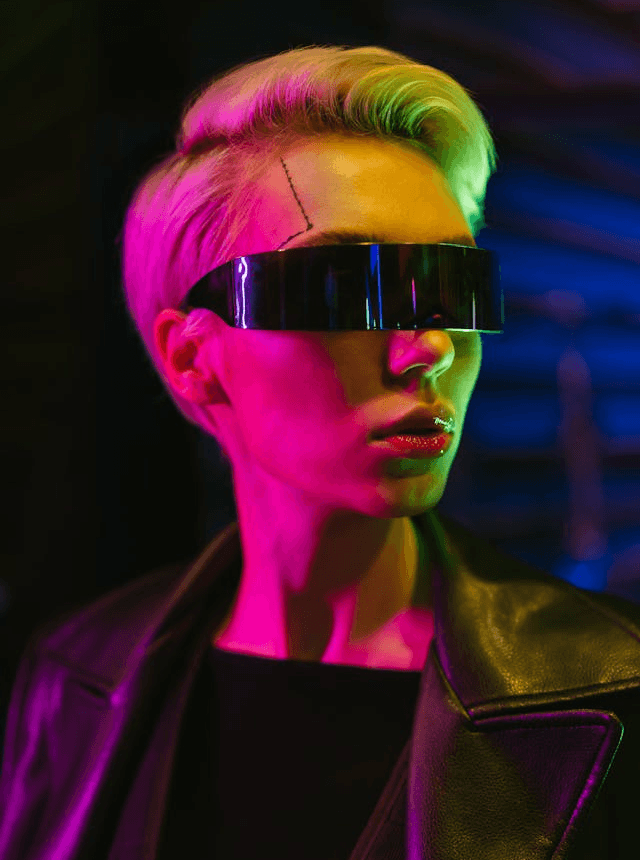
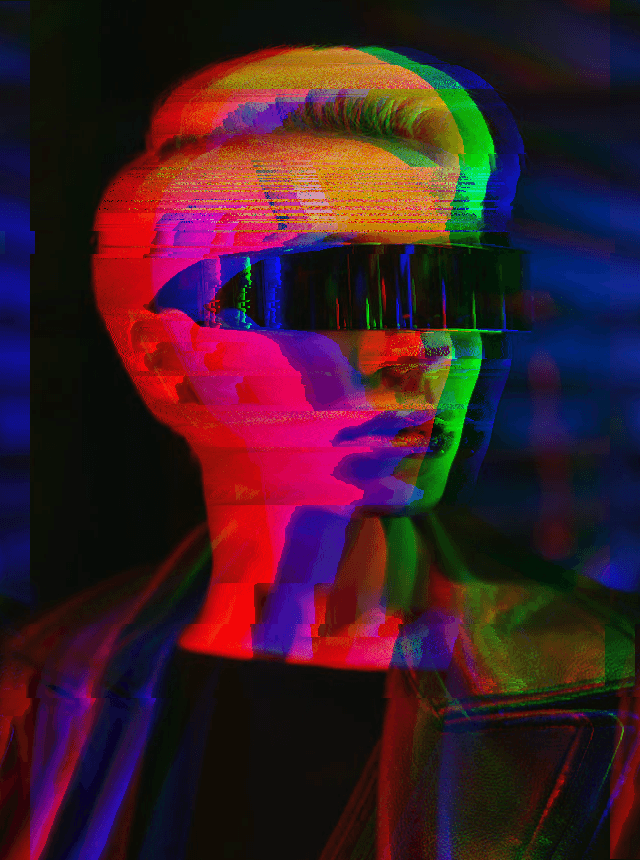
In this example, we transform a portrait into a cyberpunk-style glitch PNG. We shift face pixels using a high pixel-sort value and decompose colors into RGB components with chromatic aberration. We also cut the neon portrait into multiple horizontal glitch slices, giving it a fragmented, futuristic look. (Source: Pexels.)
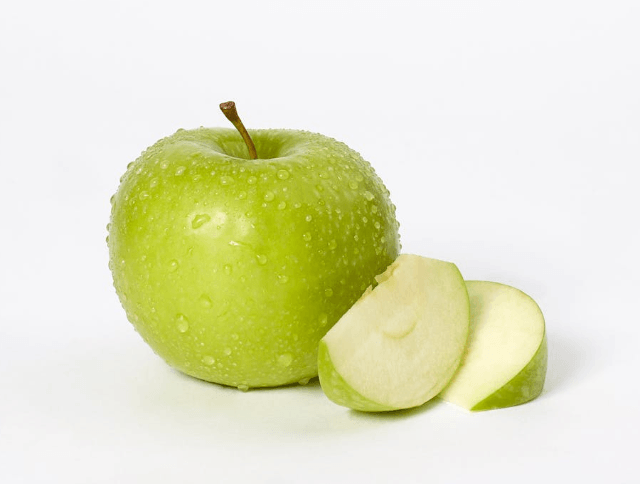
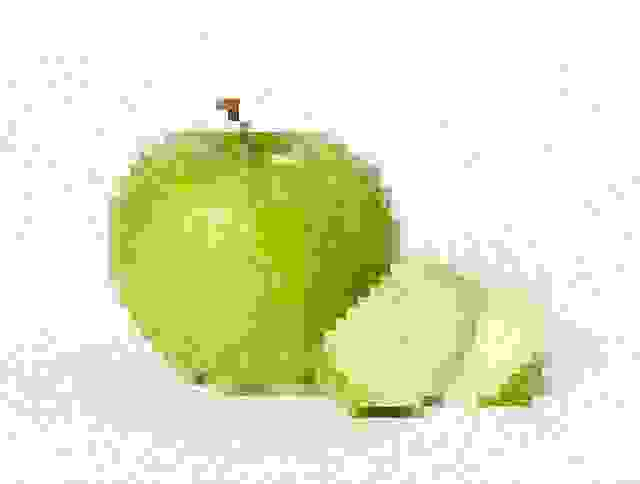
In this example, we transform a green apple PNG into a fragmented digital object. We set JPG quality to 0% to introduce heavy compression artifacts, apply pixelation at level 11 to break the smooth surface into blocky chunks, and add noise at level 20 to simulate static interference. (Source: Pexels.)
In this example, we apply a full-color inversion to a night photo of Tokyo to create a high-contrast negative effect. We flip all colors into a negative spectrum and rearrange pixels into surreal streaks, making the city look like a glitch frame from a futuristic parallel world. (Source: Pexels.)
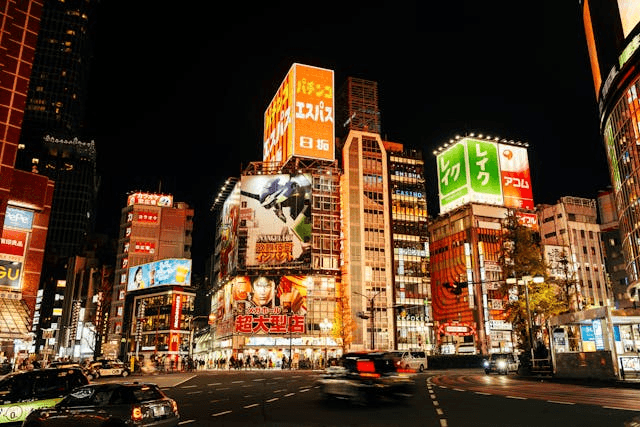
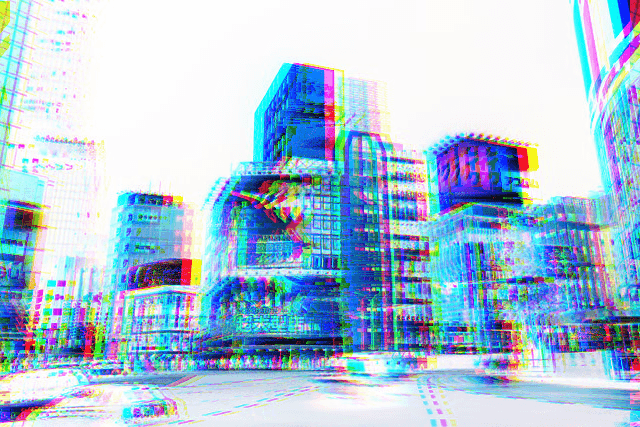
In this example, we recreate a low-quality analog screen effect with visible signal instability and color distortion. We introduce strong compression artifacts to break image clarity, shift horizontal lines to mimic transmission errors, slightly overexpose the PNG, and push red tones to create a warm, distorted glow. (Source: Pexels.)
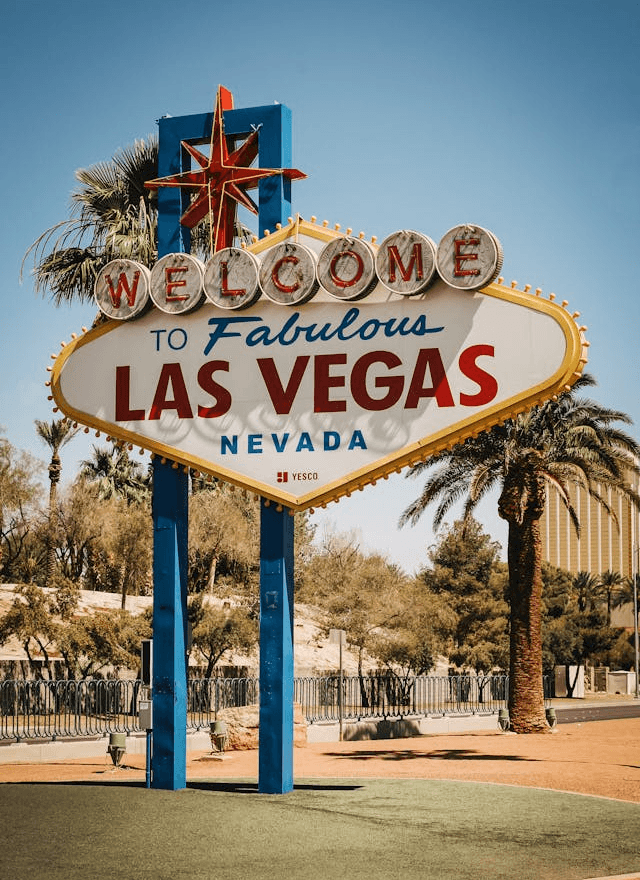
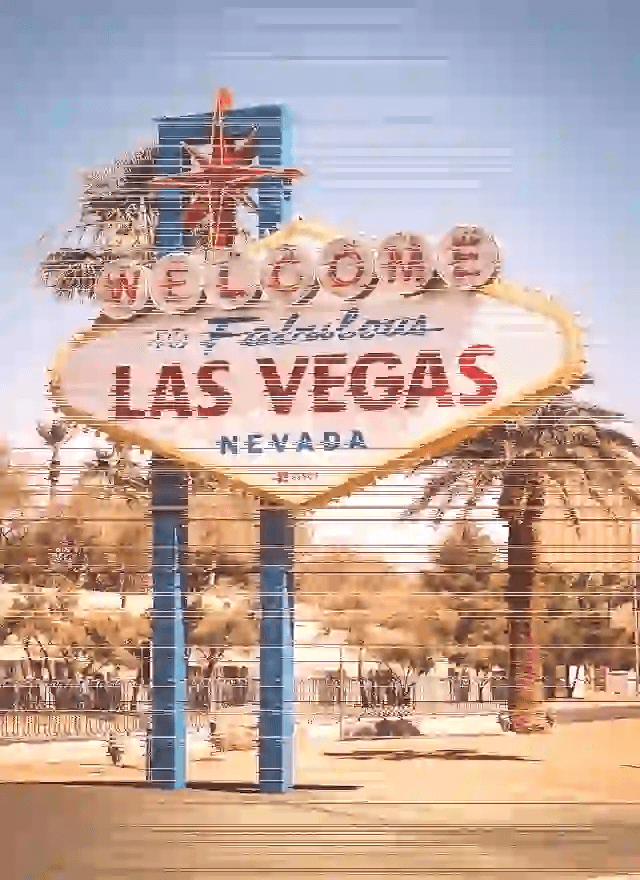
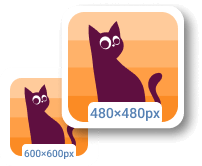
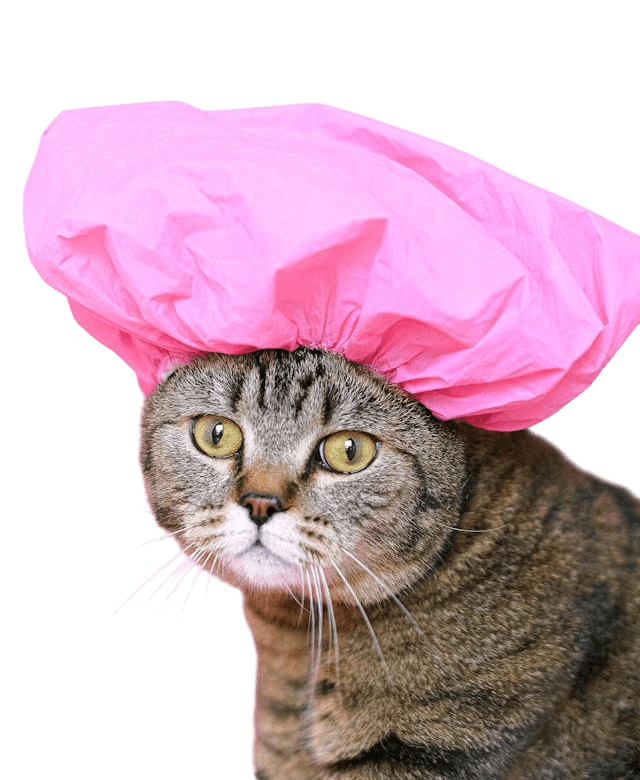
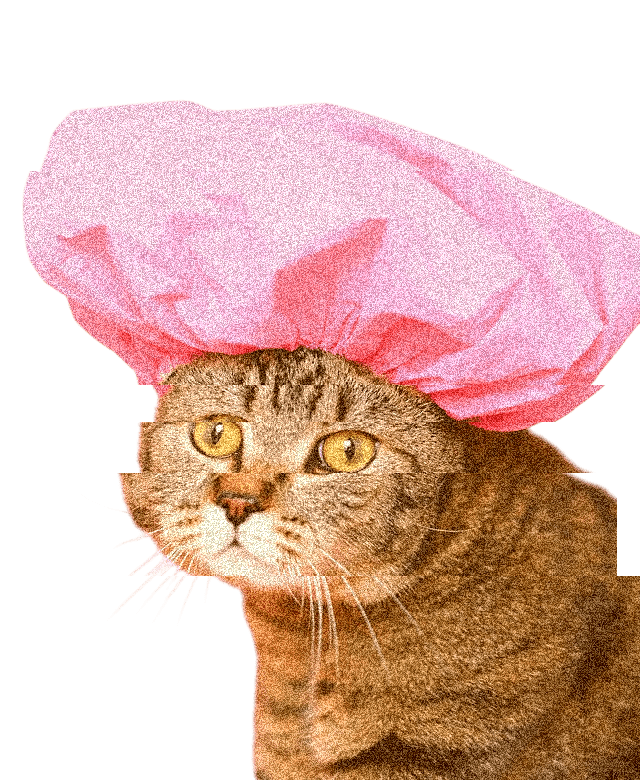
In this example, we convert a cat sticker into a glitch-distorted transparent graphic. We introduce heavy digital noise, shift the color channels to create visible interference, and break the PNG into fragmented segments. As a result, the sticker appears unstable, with distorted colors and glitchy, broken shapes. (Source: Pexels.)
Edit a PNG in your browser.
Compare two or more PNG images.
Convert a PNG image to an AV1 image (AVIF).
Convert an AV1 image (AVIF) to a PNG image.
Convert a PNG image to a High Efficiency Image File (HEIF).
Convert a Hide Efficiency Image File (HEIF) to a PNG image.
Convert a PNG image to an ICO icon.
Convert a PNG image to a TIFF image.
Convert a TIFF image to a PNG image.
Convert a PNG image to a PIK image.
Convert a PIK image to a PNG image.
Convert a PNG image to a PPM image.
Convert a PPM image to a PNG image.
Convert a PNG image to a BPG image.
Convert a BPG image to a PNG image.
Convert a PNG image to a FLIF image.
Convert a FLIF image to a PNG image.
Convert a PNG image to a Paint.net file.
Convert a Paint.net file to a PNG image.
Convert a PNG image to a Photoshop file.
Convert a Photoshop file to a PNG image.
Convert a PNG image to an SVG image.
Convert a PNG image to an PDF document.
Convert a PDF document to a PNG image (or multiple images).
Convert a PNG image to an EPS file.
Convert an EPS file to a PNG image (or multiple images).
Convert a PNG image to a JFIF image.
Convert a JFIF image to a PNG image.
Convert a PNG image to raw RGB values.
Convert RGB values to a PNG image.
Convert a PNG image to raw BGR values.
Convert BGR values to a PNG image.
Convert a PNG image to raw RGBA values.
Convert RGBA values to a PNG image.
Convert a PNG image to raw BGRA values.
Convert BGRA values to a PNG image.
Convert multiple PNGs to a GIF animation.
Convert an APNG animation to a GIF image.
Convert a GIF animation to an APNG image.
Convert an APNG image to a Webp image.
Convert a Webp image to an APNG image.
Convert an APNG image to an MP4 video.
Convert an MP4 video to an APNG image.
Convert an APNG image to an AVI video.
Convert an AVI video to an APNG image.
Convert an APNG image to a WMV video.
Convert an WMV video to an APNG image.
Extract all frames from an APNG image.
Play a PNG animation (APNG) frame by frame.
Change the playback speed of an animated PNG (APNG).
Change how many times an animated PNG loops.
Reverse the order of frames in an animated PNG (APNG).
Created animated PNGs (APNGs) from input images.
Check if the given PNG file is an animated PNG file (APNG).
Create a sprite sheet from all animated PNG (APNG) frames.
Create an animated PNG (APNG) from a sprite sheet.
Create Excel art from a PNG image.
Break a PNG image into multiple pieces.
Generate a slideshow animation from multiple PNGs.
Generate a mosaic wall from multiple PNGs.
Convert a PNG into a hexagonal grid of pixels.
Convert a PNG into a triangular grid of pixels.
Create a Voronoi diagram from a PNG image.
Darken PNG corners compared to its center.
Create multiple reflections of a PNG.
Apply a Bayer filter on a PNG.
Make a PNG look like it was taken via night vision goggles.
Make a PNG look like it's spherical.
Run a PNG through the Mobius Transform.
Convert between RGB, CMYK, HSV, and HSL color spaces.
Remove dithering from a PNG image.
Convert a PNG to an ASCII art image.
Convert a PNG to an ANSI art image.
Convert ANSI art to a PNG image.
Convert a PNG to a Braille art image.
Convert Braille art to a PNG image.
Increase the quality of a PNG image.
Extract a 2d slice from a PNG.
Create a PNG that contains all possible RGB colors.
Find all textual information in a PNG image and extract it.
Given any 2D PNG, add 3rd dimension to it.
Quickly erase text (labels, captions) from a PNG.
Quickly delete a watermark from a PNG.
Salvage a PNG that has bad bytes in it and doesn't open.
Conceal a secret message in a PNG image.
Update meta data of a PNG file.
Delete meta data from a PNG picture.
Check if the given file is a valid PNG without errors.
Subscribe to our updates. We'll let you know when we release new tools and features, and when we organize online workshops.
Enter your email here
We're Browserling — a friendly and fun cross-browser testing company powered by alien technology. At Browserling we love to make people's lives easier, so we created this collection of online PNG tools. We created the simplest possible user interface for our tools and they are now used by millions of users every month. Behind the scenes, our online PNG tools are actually powered by our web developer tools that we created over the last couple of years. Check them out!