World's simplest online utility that recolors Portable Network Graphics (PNG) images using classic computer and gaming system palettes. Just import your PNG in the editor on the left, select a retro machine palette in the options, and you'll instantly get the image redrawn with that system's colors. You can also choose how source colors are matched to the palette and enable dithering to simulate additional shades. Free, quick, and very powerful. Created with love by team Browserling.
World's simplest online utility that recolors Portable Network Graphics (PNG) images using classic computer and gaming system palettes. Just import your PNG in the editor on the left, select a retro machine palette in the options, and you'll instantly get the image redrawn with that system's colors. You can also choose how source colors are matched to the palette and enable dithering to simulate additional shades. Free, quick, and very powerful. Created with love by team Browserling.

This browser-based utility turns a modern PNG into artwork colored like graphics from early home computers, consoles, and handheld systems. It replaces each visible pixel with a color from one selected historical palette while retaining the PNG's original dimensions and alpha transparency. The machine list includes systems from several eras of digital graphics. For handheld styling, the original Game Boy supplies four olive-green tones. Two 54-color NES interpretations recreate classic console hues, while the PICO-8 set produces a modern fantasy-console look. Early PC graphics are represented by the complete 16-color CGA and EGA palettes, six four-color CGA modes, the expanded 64-color EGA set, and the 16-color and 256-color Windows VGA sets. You can also select the vivid 15-color ZX Spectrum palette, the muted 16-color Commodore 64 collection, three regional Atari 2600 sets, or the six-color high-resolution and 16-color low-resolution Apple II palettes. The closest-color mapping does not necessarily use the full palette. You can enable an option that makes it use a wider range of available colors, so more of the machine's palette appears in the finished PNG. You can select one of two color-distance methods in the options. Direct RGB comparison chooses colors by numerical channel distance. Perceptual comparison instead uses visual color difference, often producing a more natural match for skin, skies, and gradual lighting. You can also enable dithering in the options to arrange neighboring palette colors into tiny patterns that simulate shades the selected hardware could not display directly. Nine dithering methods are available, including Floyd–Steinberg, Atkinson, Stucki, Jarvis, Burkes, and three Sierra variants. Png-abulous!
This browser-based utility turns a modern PNG into artwork colored like graphics from early home computers, consoles, and handheld systems. It replaces each visible pixel with a color from one selected historical palette while retaining the PNG's original dimensions and alpha transparency. The machine list includes systems from several eras of digital graphics. For handheld styling, the original Game Boy supplies four olive-green tones. Two 54-color NES interpretations recreate classic console hues, while the PICO-8 set produces a modern fantasy-console look. Early PC graphics are represented by the complete 16-color CGA and EGA palettes, six four-color CGA modes, the expanded 64-color EGA set, and the 16-color and 256-color Windows VGA sets. You can also select the vivid 15-color ZX Spectrum palette, the muted 16-color Commodore 64 collection, three regional Atari 2600 sets, or the six-color high-resolution and 16-color low-resolution Apple II palettes. The closest-color mapping does not necessarily use the full palette. You can enable an option that makes it use a wider range of available colors, so more of the machine's palette appears in the finished PNG. You can select one of two color-distance methods in the options. Direct RGB comparison chooses colors by numerical channel distance. Perceptual comparison instead uses visual color difference, often producing a more natural match for skin, skies, and gradual lighting. You can also enable dithering in the options to arrange neighboring palette colors into tiny patterns that simulate shades the selected hardware could not display directly. Nine dithering methods are available, including Floyd–Steinberg, Atkinson, Stucki, Jarvis, Burkes, and three Sierra variants. Png-abulous!
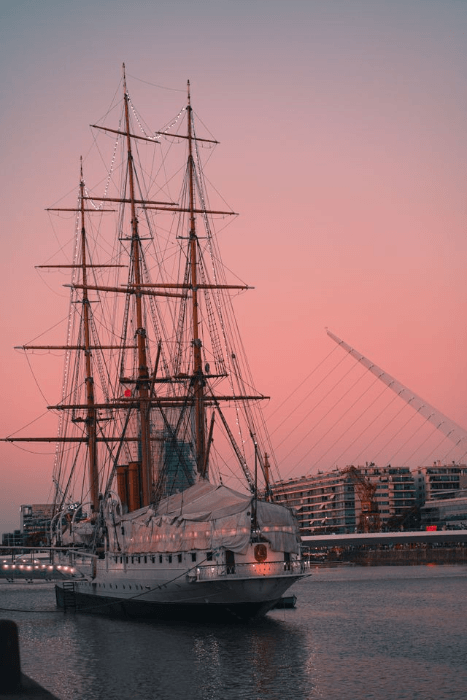
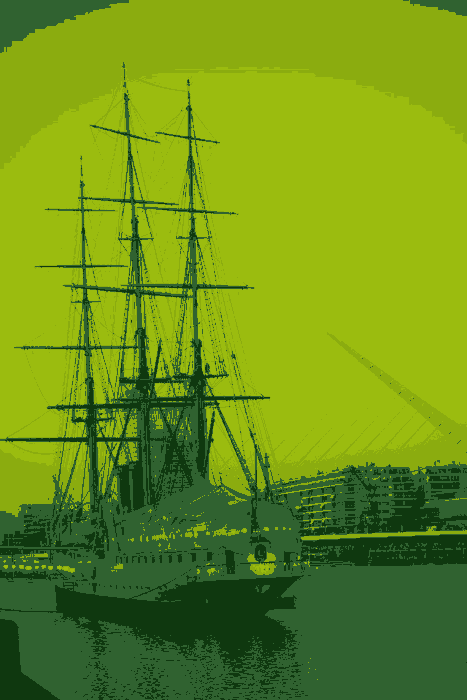
In this example, we redraw a harbor ship with the original Game Boy palette, which is limited to just four olive-green shades from very dark green to pale yellow-green. Euclidean matching compares the RGB values of each source pixel and replaces it with the nearest of these four tones. The ship, sky, and water become broad, clean color regions that give the scene the look of an early handheld game. (Source: Pexels.)
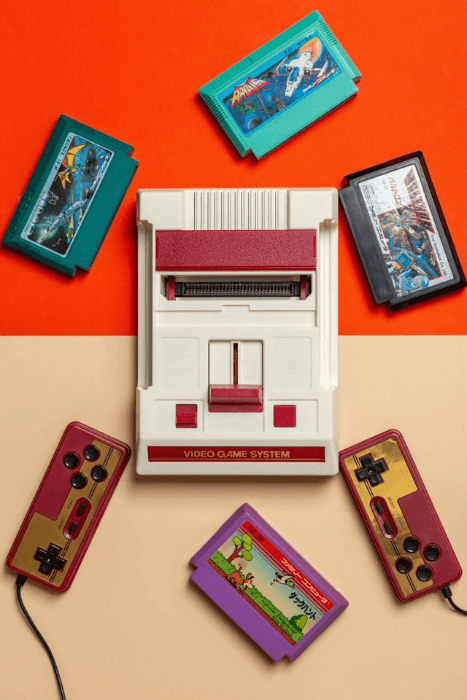
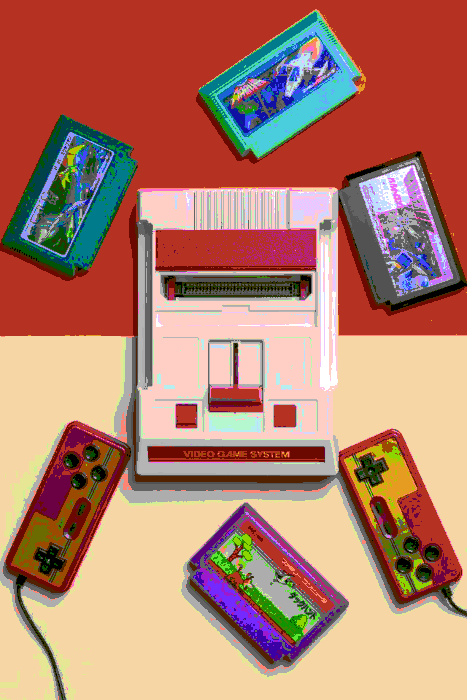
This example recolors a vintage game console, controllers, and cartridges with Nestopia's 54-color NES palette. It also uses the full set of available palette colors, so shades that would normally be skipped by nearest-color matching can still appear in the image. This brings a wider mix of reds, blues, greens, purples, and neutral tones into the console and game PNG. (Source: Pexels.)
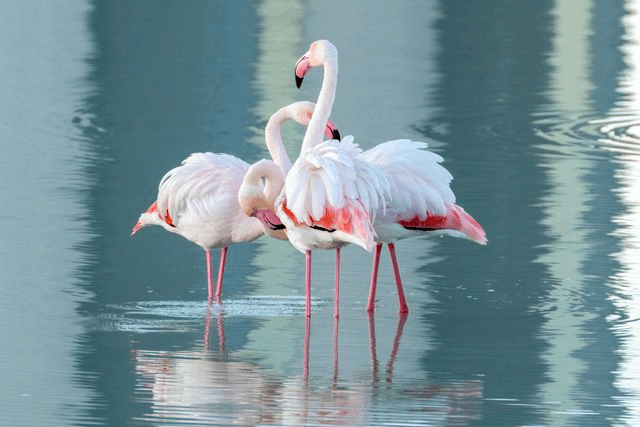
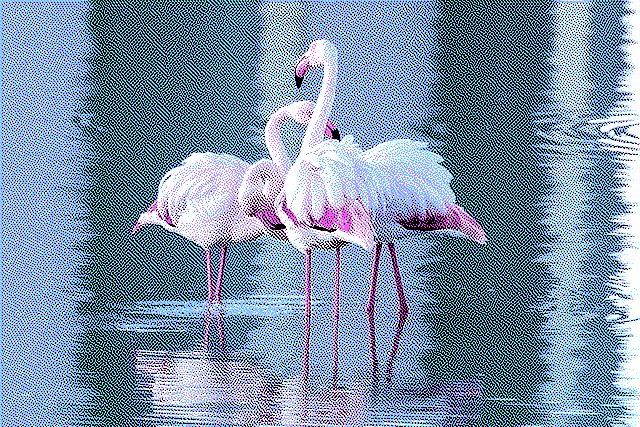
In this example, we reduce a PNG of pink flamingos in blue water to a bright four-color CGA palette made of black, cyan, magenta, and white. Cyan naturally matches the water, while magenta preserves the flamingos' pink feathers. We apply Atkinson dithering to mix these limited colors into finer patterns, creating smoother transitions and the impression of extra shades. (Source: Pexels.)
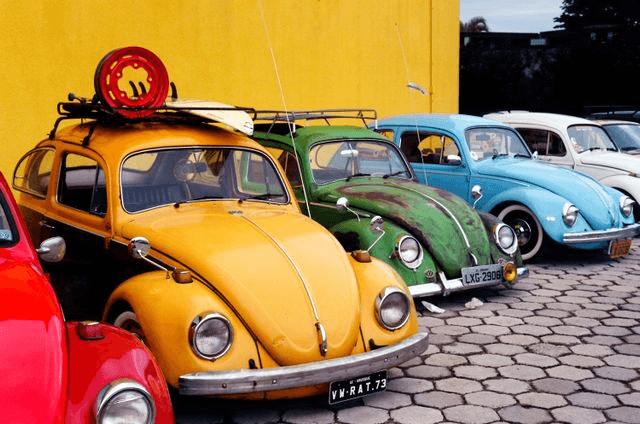
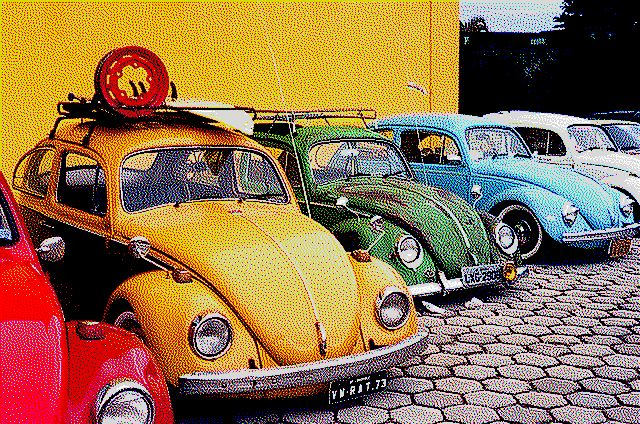
In this example, we redraw a PNG of classic Volkswagen Beetles with the ZX Spectrum's 15-color palette of black, white, and bright or dark primary and secondary colors. Yellow, red, green, blue, and cyan keep the cars clearly distinct. We apply Jarvis dithering to preserve reflections, curved bodywork, windows, and cobblestone detail. (Source: Pexels.)
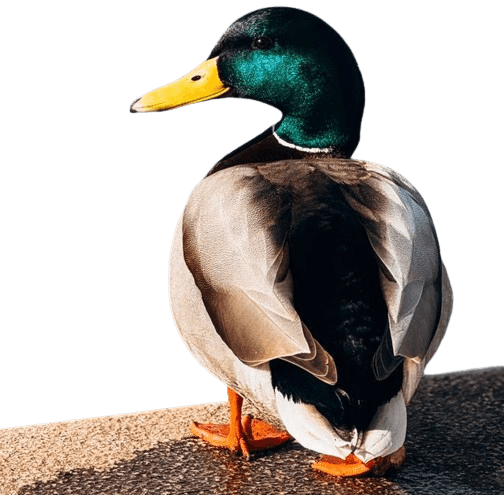
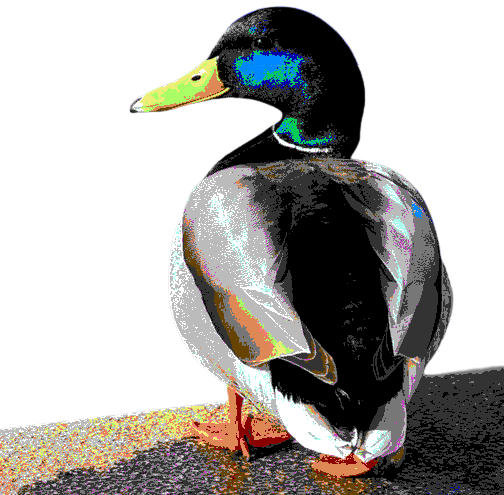
In this example, we apply the 16-color Commodore 64 palette to a PNG of a mallard duck on a transparent background. We use every available color, turning the layered feathers into a mosaic of earthy browns, grays, pinks, cyan, blue, green, and pale yellow, while black and white define the strongest contours. The plumage stays crisp, and the transparent area around the duck is preserved. (Source: Pexels.)
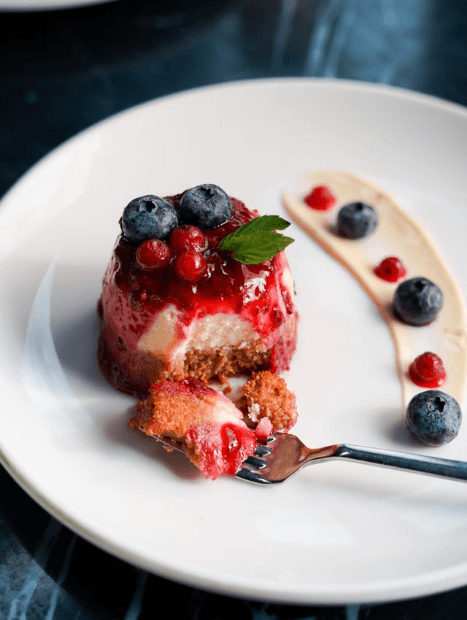
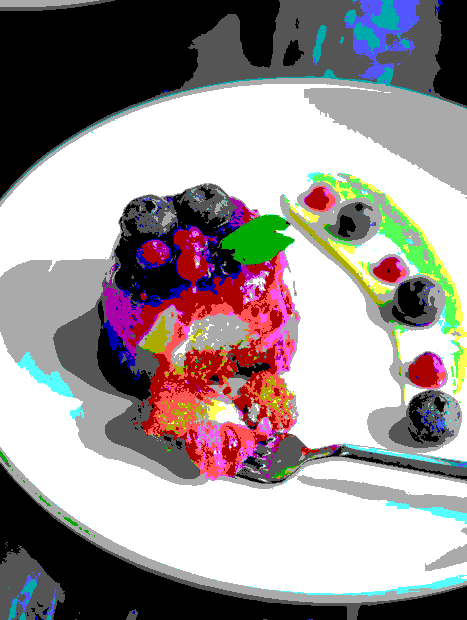
In this example, we transform a berry dessert with the standard 16-color EGA palette. We use perceptual color matching to choose shades by visual similarity rather than raw RGB distance. With the full palette and no dithering, the dessert gets bold colors and the clean look of early PC graphics. (Source: Pexels.)
Edit a PNG in your browser.
Compare two or more PNG images.
Convert a PNG image to an AV1 image (AVIF).
Convert an AV1 image (AVIF) to a PNG image.
Convert a PNG image to a High Efficiency Image File (HEIF).
Convert a Hide Efficiency Image File (HEIF) to a PNG image.
Convert a PNG image to an ICO icon.
Convert a PNG image to a TIFF image.
Convert a TIFF image to a PNG image.
Convert a PNG image to a PIK image.
Convert a PIK image to a PNG image.
Convert a PNG image to a PPM image.
Convert a PPM image to a PNG image.
Convert a PNG image to a BPG image.
Convert a BPG image to a PNG image.
Convert a PNG image to a FLIF image.
Convert a FLIF image to a PNG image.
Convert a PNG image to a Paint.net file.
Convert a Paint.net file to a PNG image.
Convert a PNG image to a Photoshop file.
Convert a Photoshop file to a PNG image.
Convert a PNG image to an SVG image.
Convert a PNG image to an PDF document.
Convert a PDF document to a PNG image (or multiple images).
Convert a PNG image to an EPS file.
Convert an EPS file to a PNG image (or multiple images).
Convert a PNG image to a JFIF image.
Convert a JFIF image to a PNG image.
Convert a PNG image to raw RGB values.
Convert RGB values to a PNG image.
Convert a PNG image to raw BGR values.
Convert BGR values to a PNG image.
Convert a PNG image to raw RGBA values.
Convert RGBA values to a PNG image.
Convert a PNG image to raw BGRA values.
Convert BGRA values to a PNG image.
Convert multiple PNGs to a GIF animation.
Convert an APNG animation to a GIF image.
Convert a GIF animation to an APNG image.
Convert an APNG image to a Webp image.
Convert a Webp image to an APNG image.
Convert an APNG image to an MP4 video.
Convert an MP4 video to an APNG image.
Convert an APNG image to an AVI video.
Convert an AVI video to an APNG image.
Convert an APNG image to a WMV video.
Convert an WMV video to an APNG image.
Extract all frames from an APNG image.
Play a PNG animation (APNG) frame by frame.
Change the playback speed of an animated PNG (APNG).
Change how many times an animated PNG loops.
Reverse the order of frames in an animated PNG (APNG).
Created animated PNGs (APNGs) from input images.
Check if the given PNG file is an animated PNG file (APNG).
Create a sprite sheet from all animated PNG (APNG) frames.
Create an animated PNG (APNG) from a sprite sheet.
Create Excel art from a PNG image.
Break a PNG image into multiple pieces.
Generate a slideshow animation from multiple PNGs.
Generate a mosaic wall from multiple PNGs.
Convert a PNG into a hexagonal grid of pixels.
Convert a PNG into a triangular grid of pixels.
Create a Voronoi diagram from a PNG image.
Darken PNG corners compared to its center.
Create multiple reflections of a PNG.
Apply a Bayer filter on a PNG.
Make a PNG look like it was taken via night vision goggles.
Make a PNG look like it's spherical.
Run a PNG through the Mobius Transform.
Convert between RGB, CMYK, HSV, and HSL color spaces.
Remove dithering from a PNG image.
Convert a PNG to an ASCII art image.
Convert a PNG to an ANSI art image.
Convert ANSI art to a PNG image.
Convert a PNG to a Braille art image.
Convert Braille art to a PNG image.
Increase the quality of a PNG image.
Extract a 2d slice from a PNG.
Create a PNG that contains all possible RGB colors.
Find all textual information in a PNG image and extract it.
Given any 2D PNG, add 3rd dimension to it.
Quickly erase text (labels, captions) from a PNG.
Quickly delete a watermark from a PNG.
Salvage a PNG that has bad bytes in it and doesn't open.
Conceal a secret message in a PNG image.
Update meta data of a PNG file.
Delete meta data from a PNG picture.
Check if the given file is a valid PNG without errors.
Subscribe to our updates. We'll let you know when we release new tools and features, and when we organize online workshops.
Enter your email here
We're Browserling — a friendly and fun cross-browser testing company powered by alien technology. At Browserling we love to make people's lives easier, so we created this collection of online PNG tools. We created the simplest possible user interface for our tools and they are now used by millions of users every month. Behind the scenes, our online PNG tools are actually powered by our web developer tools that we created over the last couple of years. Check them out!