World's simplest online utility that redraws a Portable Network Graphics (PNG) image using browser-safe colors. Just import your PNG in the editor on the left, choose a Web-safe, HTML, CSS, or grayscale palette in the options, and you'll instantly get a new PNG built from the selected colors. You can also choose between different color matching methods and apply dithering. Free, quick, and very powerful. Created with love by team Browserling.
World's simplest online utility that redraws a Portable Network Graphics (PNG) image using browser-safe colors. Just import your PNG in the editor on the left, choose a Web-safe, HTML, CSS, or grayscale palette in the options, and you'll instantly get a new PNG built from the selected colors. You can also choose between different color matching methods and apply dithering. Free, quick, and very powerful. Created with love by team Browserling.

This browser-based utility creates a web-safe version of any PNG image. A classic web-safe palette contains 216 colors whose red, green, and blue channel values use evenly spaced steps. These tones were originally chosen so that pictures and page graphics remained predictable on older displays and across different browsers. They are still useful when you need a deliberately limited palette, a retro web look, or a PNG whose colors come from a known set. By default, the tool uses the classic 216-color Web-safe palette, but several other browser-oriented color sets are available as well. You can reduce a PNG to the original 16 Basic HTML colors, expand the range with the 140 Named HTML colors, or use the 141 CSS colors, which add RebeccaPurple to that set. For an even more restricted look, the 22-color Safest Web palette provides a compact collection intended for reliable display on older limited-color screens. For monochrome artwork, you can choose a grayscale set containing 256, 128, 64, 32, 16, 8, 4, or 2 shades. Once a palette is selected, each pixel is mapped to its closest available color. The "Use Every Palette Color" option makes the converter use more colors from the selected palette instead of choosing only the closest ones. This is useful when you want more of the palette's colors to appear in the final PNG. The faster RGB Distance Matching method compares RGB values directly, while Perceptual Difference Matching uses delta-E (ΔE) to better reflect how the human eye perceives color differences. You can also enable dithering, which distributes neighboring palette colors in fine pixel patterns. Dithering suggests missing intermediate tones, retains detail in shadows and gradients, and reduces abrupt color bands. The tool offers nine dithering methods, including Floyd–Steinberg, Atkinson, Jarvis, Burkes, Stucki, and multiple Sierra methods. Png-abulous!
This browser-based utility creates a web-safe version of any PNG image. A classic web-safe palette contains 216 colors whose red, green, and blue channel values use evenly spaced steps. These tones were originally chosen so that pictures and page graphics remained predictable on older displays and across different browsers. They are still useful when you need a deliberately limited palette, a retro web look, or a PNG whose colors come from a known set. By default, the tool uses the classic 216-color Web-safe palette, but several other browser-oriented color sets are available as well. You can reduce a PNG to the original 16 Basic HTML colors, expand the range with the 140 Named HTML colors, or use the 141 CSS colors, which add RebeccaPurple to that set. For an even more restricted look, the 22-color Safest Web palette provides a compact collection intended for reliable display on older limited-color screens. For monochrome artwork, you can choose a grayscale set containing 256, 128, 64, 32, 16, 8, 4, or 2 shades. Once a palette is selected, each pixel is mapped to its closest available color. The "Use Every Palette Color" option makes the converter use more colors from the selected palette instead of choosing only the closest ones. This is useful when you want more of the palette's colors to appear in the final PNG. The faster RGB Distance Matching method compares RGB values directly, while Perceptual Difference Matching uses delta-E (ΔE) to better reflect how the human eye perceives color differences. You can also enable dithering, which distributes neighboring palette colors in fine pixel patterns. Dithering suggests missing intermediate tones, retains detail in shadows and gradients, and reduces abrupt color bands. The tool offers nine dithering methods, including Floyd–Steinberg, Atkinson, Jarvis, Burkes, Stucki, and multiple Sierra methods. Png-abulous!
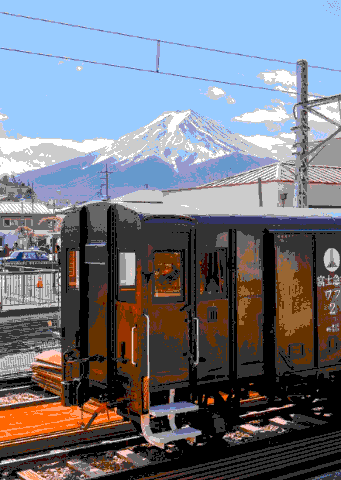
In this example, we apply the classic 216-color Web-safe palette to a vintage train PNG with Mount Fuji. Its evenly spaced RGB levels create a clean, limited-color look, while perceptual difference matching chooses shades based on how similar they appear to the eye. With dithering turned off, the sky, snow, and train break into smooth color blocks, giving the PNG a bright, cartoon-like appearance. (Source: Pexels.)

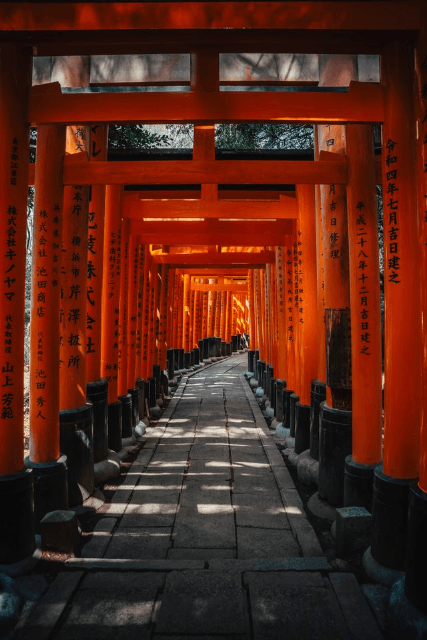
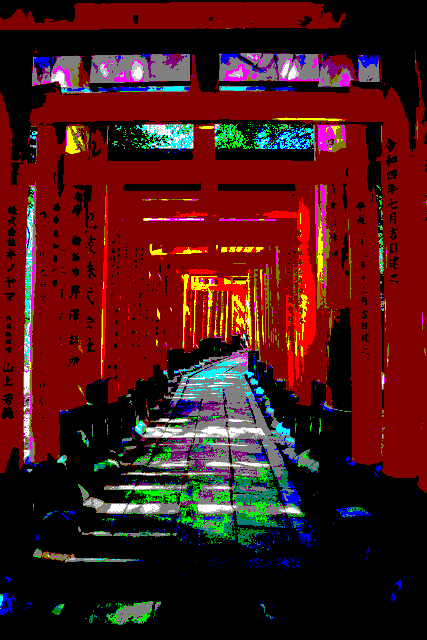
This example maps the Fushimi Inari torii gates to the 16 Basic HTML colors, the original compact set of named web tones such as red, maroon, lime, aqua, blue, fuchsia, silver, and black. We enable the Use Every Palette Color option, which turns sunlit areas into bright, multicolored accents. The result looks more playful and colorful than a standard closest-color conversion. (Source: Pexels.)
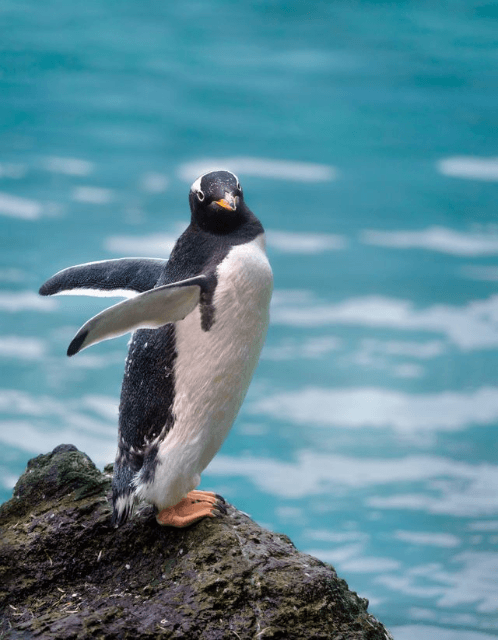
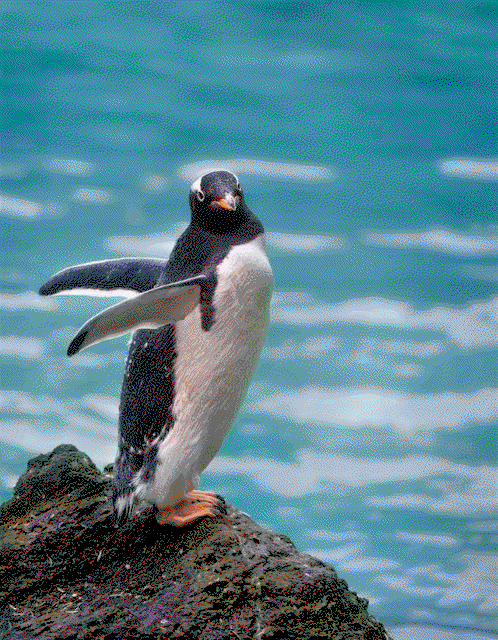
In this example, we redraw a penguin PNG using the 141-color CSS palette, a broad collection of standard named browser colors. We use Stucki dithering to mix nearby colors across the water, reflections, feathers, and rock. At first glance, the limited palette is barely noticeable because the dithering keeps the transitions smooth and detailed. (Source: Pexels.)
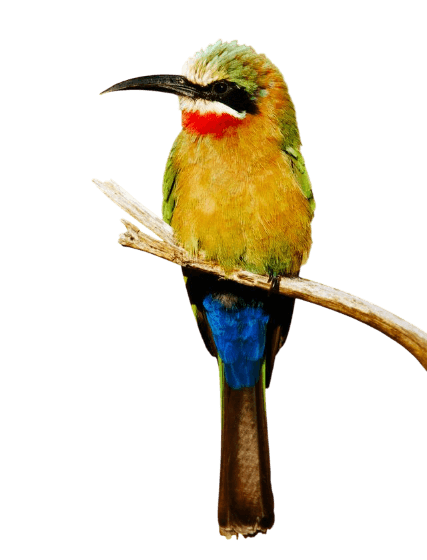
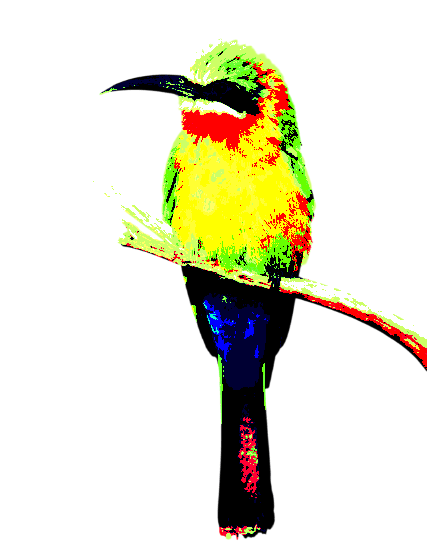
This example converts a colorful bee-eater to the 22-color Safest Web palette, a particularly compact group chosen for reliable reproduction on older limited-color displays. The reduced set transforms the bird into a bold stencil-like illustration with intense green, yellow, red, blue, black, and white sections. Although the PNG is strongly simplified, the original transparent background remains completely clear around the bird. (Source: Pexels.)
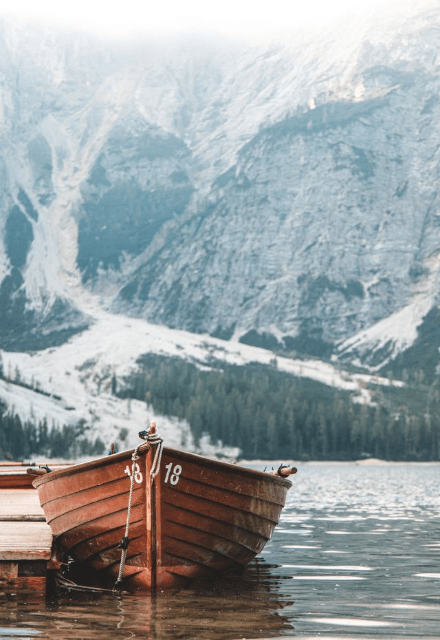
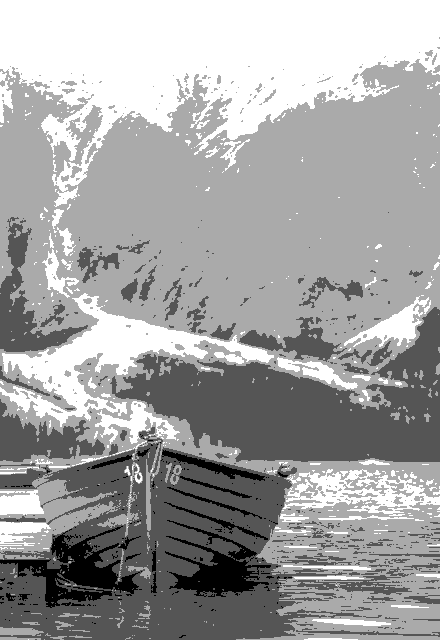
In this example, we replace every color in an alpine boat PNG with one of four evenly spaced grayscale values: black, dark gray, light gray, or white. The four tones separate the scene into clear layers, from the dark boat and dock to pale mountains and sky. With no dithering, the image gets a crisp, posterized look. (Source: Pexels.)
Edit a PNG in your browser.
Compare two or more PNG images.
Convert a PNG image to an AV1 image (AVIF).
Convert an AV1 image (AVIF) to a PNG image.
Convert a PNG image to a High Efficiency Image File (HEIF).
Convert a Hide Efficiency Image File (HEIF) to a PNG image.
Convert a PNG image to an ICO icon.
Convert a PNG image to a TIFF image.
Convert a TIFF image to a PNG image.
Convert a PNG image to a PIK image.
Convert a PIK image to a PNG image.
Convert a PNG image to a PPM image.
Convert a PPM image to a PNG image.
Convert a PNG image to a BPG image.
Convert a BPG image to a PNG image.
Convert a PNG image to a FLIF image.
Convert a FLIF image to a PNG image.
Convert a PNG image to a Paint.net file.
Convert a Paint.net file to a PNG image.
Convert a PNG image to a Photoshop file.
Convert a Photoshop file to a PNG image.
Convert a PNG image to an SVG image.
Convert a PNG image to an PDF document.
Convert a PDF document to a PNG image (or multiple images).
Convert a PNG image to an EPS file.
Convert an EPS file to a PNG image (or multiple images).
Convert a PNG image to a JFIF image.
Convert a JFIF image to a PNG image.
Convert a PNG image to raw RGB values.
Convert RGB values to a PNG image.
Convert a PNG image to raw BGR values.
Convert BGR values to a PNG image.
Convert a PNG image to raw RGBA values.
Convert RGBA values to a PNG image.
Convert a PNG image to raw BGRA values.
Convert BGRA values to a PNG image.
Convert multiple PNGs to a GIF animation.
Convert an APNG animation to a GIF image.
Convert a GIF animation to an APNG image.
Convert an APNG image to a Webp image.
Convert a Webp image to an APNG image.
Convert an APNG image to an MP4 video.
Convert an MP4 video to an APNG image.
Convert an APNG image to an AVI video.
Convert an AVI video to an APNG image.
Convert an APNG image to a WMV video.
Convert an WMV video to an APNG image.
Extract all frames from an APNG image.
Play a PNG animation (APNG) frame by frame.
Change the playback speed of an animated PNG (APNG).
Change how many times an animated PNG loops.
Reverse the order of frames in an animated PNG (APNG).
Created animated PNGs (APNGs) from input images.
Check if the given PNG file is an animated PNG file (APNG).
Create a sprite sheet from all animated PNG (APNG) frames.
Create an animated PNG (APNG) from a sprite sheet.
Create Excel art from a PNG image.
Break a PNG image into multiple pieces.
Generate a slideshow animation from multiple PNGs.
Generate a mosaic wall from multiple PNGs.
Convert a PNG into a hexagonal grid of pixels.
Convert a PNG into a triangular grid of pixels.
Create a Voronoi diagram from a PNG image.
Darken PNG corners compared to its center.
Create multiple reflections of a PNG.
Apply a Bayer filter on a PNG.
Make a PNG look like it was taken via night vision goggles.
Make a PNG look like it's spherical.
Run a PNG through the Mobius Transform.
Convert between RGB, CMYK, HSV, and HSL color spaces.
Remove dithering from a PNG image.
Convert a PNG to an ASCII art image.
Convert a PNG to an ANSI art image.
Convert ANSI art to a PNG image.
Convert a PNG to a Braille art image.
Convert Braille art to a PNG image.
Increase the quality of a PNG image.
Extract a 2d slice from a PNG.
Create a PNG that contains all possible RGB colors.
Find all textual information in a PNG image and extract it.
Given any 2D PNG, add 3rd dimension to it.
Quickly erase text (labels, captions) from a PNG.
Quickly delete a watermark from a PNG.
Salvage a PNG that has bad bytes in it and doesn't open.
Conceal a secret message in a PNG image.
Update meta data of a PNG file.
Delete meta data from a PNG picture.
Check if the given file is a valid PNG without errors.
Subscribe to our updates. We'll let you know when we release new tools and features, and when we organize online workshops.
Enter your email here
We're Browserling — a friendly and fun cross-browser testing company powered by alien technology. At Browserling we love to make people's lives easier, so we created this collection of online PNG tools. We created the simplest possible user interface for our tools and they are now used by millions of users every month. Behind the scenes, our online PNG tools are actually powered by our web developer tools that we created over the last couple of years. Check them out!